// Reels · Free PDF
How your product becomes a reel: one sentence to an explainer reel
You have a product with real strengths, but a data sheet doesn't make anyone stop scrolling. Here's how REPOSPRITES Mentor Reels turns one sentence about your product into a finished explainer reel, plus examples and everything you need.
The reel engine at a glance
| Step | What happens | What you do |
|---|---|---|
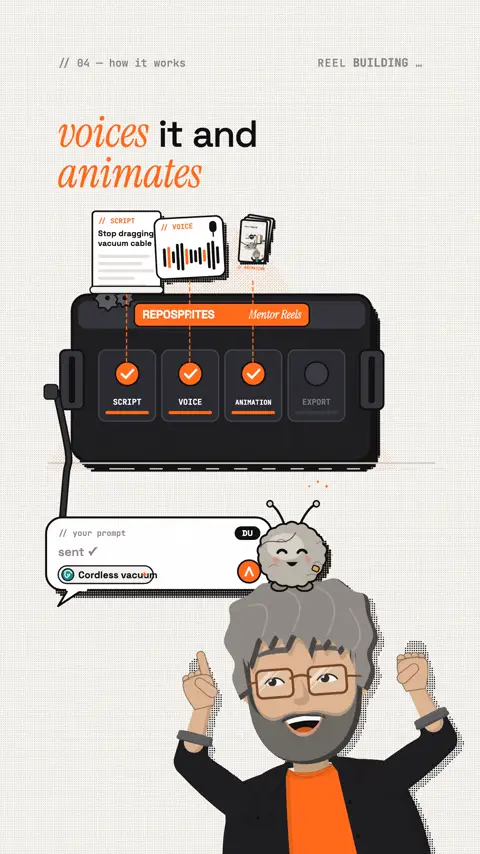
| 1 · Script | The engine writes the hook, the story arc and the ending | You describe your product in one sentence |
| 2 · Voice | The script is voiced, every word gets its timestamp | You pick your voice once |
| 3 · Animation | Every scene gets its own animated visuals in your look | You review it and say what to change |
| 4 · Export | Finished vertical MP4, social captions, covers and a PDF | You post |
The process step by step
- Set it up once. Open the folder in Claude Code, Codex or Cursor and say "set up Mentor Reels". The AI checks the tools, helps you connect ElevenLabs for the voice and creates your brand profile.
- Brand profile. Name, website, your colour and your logo. From then on every reel and every PDF carries your look, even the Mentor's shirt if you like.
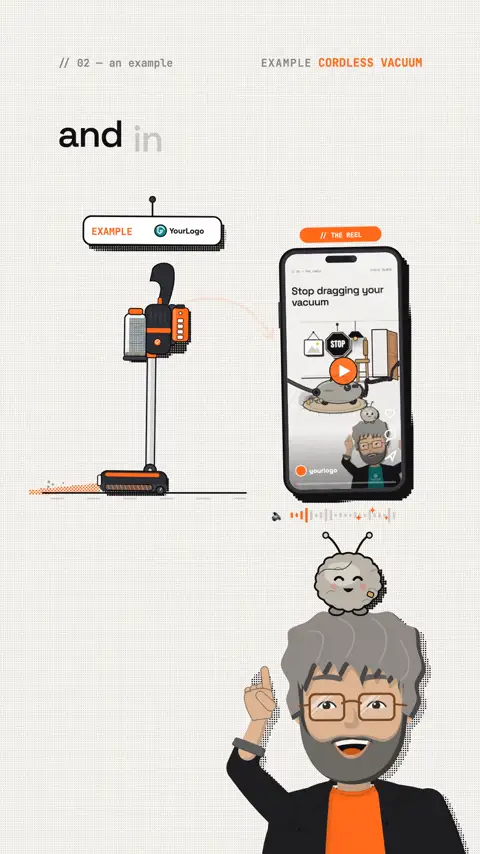
- One sentence about your product. For example: "Make a reel: 3 reasons for my new cordless vacuum." The AI only asks what it can't work out itself.
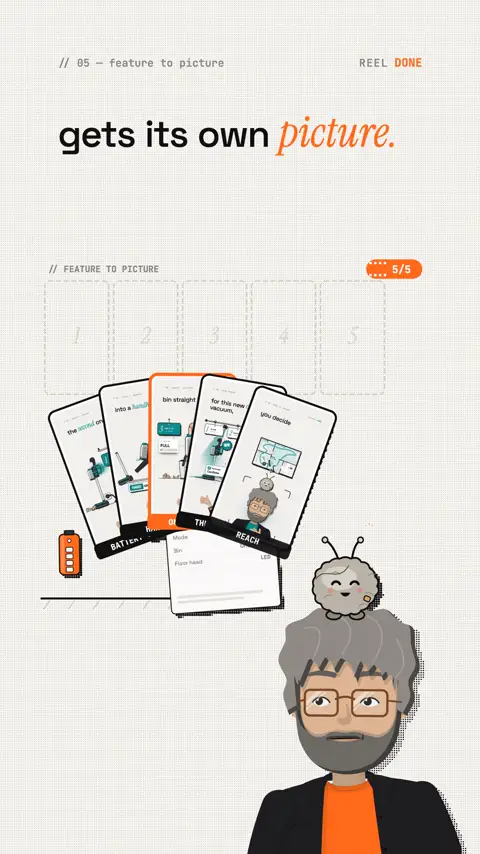
- Script, voice, scenes. The engine writes the script, voices it and invents a picture for every feature: the swappable battery becomes a battery swap, the floor vacuum becomes a handheld, emptying becomes one button.
- Self-review. The engine checks its own frames and measures whether there's enough motion before it renders the final video.
- Ready to post. You get the MP4, captions for your channels, covers and a PDF for your leads.
Examples
- 3 reasons for a cordless vacuum: a product reel for the made-up brand "YourLogo", with its own brand colour, the logo on the Mentor's shirt and a dust bunny as the mascot.
- This reel: the cordless vacuum example as an ad for the engine itself, made in the same look.
- More examples with finished videos, captions and PDFs are on reposprites.com.
A data sheet explains your product. A reel sells it.
What you need
- a computer (macOS, Windows or Linux) or a rented server
- a paid AI plan: Claude (Pro, Max, Team or Enterprise), ChatGPT for Codex, or Cursor
- an ElevenLabs account for the voice
- about 10 to 15 minutes for the one-time setup
- one license per project: every brand, channel and client is its own project
Comments bring contacts
Every reel can end with "Comment KEYWORD". Whoever comments gets a PDF like this one through your auto-DM tool. The engine writes and designs the PDF to match the reel, you collect the contacts.
How the PDF arrives automatically
For the automatic reply by DM (auto-DM) you need a tool that spots comments with your keyword and sends the message. I use ReplyRush for that, including for this PDF and the message you just received.
ReplyRushapp.replyrush.com auto-DMs for comments with a keyword. Affiliate link: it costs you nothing extra and helps me keep developing the engine. Updates to the first version are already included in the price of REPOSPRITES Mentor Reels.The reel on this topic
This reel was made with Mentor Reels
Mentor Reels is a skill for Claude Code. From one prompt it makes a finished explainer reel with voice, animation, post texts and a PDF just like this one.
Read the transcript
You've got a great product, but in the feed everyone swipes right past your data sheet. Let me show you with a cordless vacuum how it becomes a reel, and in the end the video even collects contacts for you. This is REPOSPRITES Mentor Reels, a reel engine for Claude, Codex or Cursor. You describe your product in one sentence, and it writes the script, voices it and animates every scene. The swappable battery becomes a battery swap, the floor vacuum becomes a handheld, and emptying becomes one button. That way every feature gets its own picture. The look belongs to your brand: your colour, your logo, even on the Mentor's shirt. And at the end the reel asks for a comment, and your customers get a PDF for it. A data sheet explains your product. A reel sells it. Comment PRODUCT and I'll send you the process and more examples.
Frequently asked questions
How does my product become a reel?
You describe your product in one sentence, for example "Make a reel: 3 reasons for my new cordless vacuum". The engine writes the hook, story arc and ending, voices the script and animates every scene. You end up with a vertical MP4.
What is REPOSPRITES Mentor Reels?
A reel engine that runs in Claude Code, Codex or Cursor. It turns one sentence about your product into a finished explainer reel with a script, a voice and its own animated visuals. You also get captions for your channels, covers and a PDF for your leads.
What do I need?
A computer with macOS, Windows or Linux or a rented server, a paid AI plan (Claude Pro, Max, Team or Enterprise, ChatGPT for Codex, or Cursor) and an ElevenLabs account for the voice. The one-time setup takes about 10 to 15 minutes.
Will the reel look like my brand?
Yes. In the brand profile you add your name, website, colour and logo. From then on every reel and every PDF carries your look, even the Mentor's shirt if you like.
How does the reel show my product's features?
Every feature gets its own picture instead of a line of text. In the example the swappable battery becomes a battery swap, the floor vacuum becomes a handheld and emptying becomes one button. Before the final render the engine checks its own frames and measures whether there is enough motion.
How does the reel collect contacts?
Every reel can end with "Comment KEYWORD". Whoever comments gets a PDF through your auto-DM tool, written and designed by the engine to match the reel. For the automatic reply you need a tool that spots comments with your keyword, for example ReplyRush.
Keywords
Goes well with
-
// Reels & content with AI
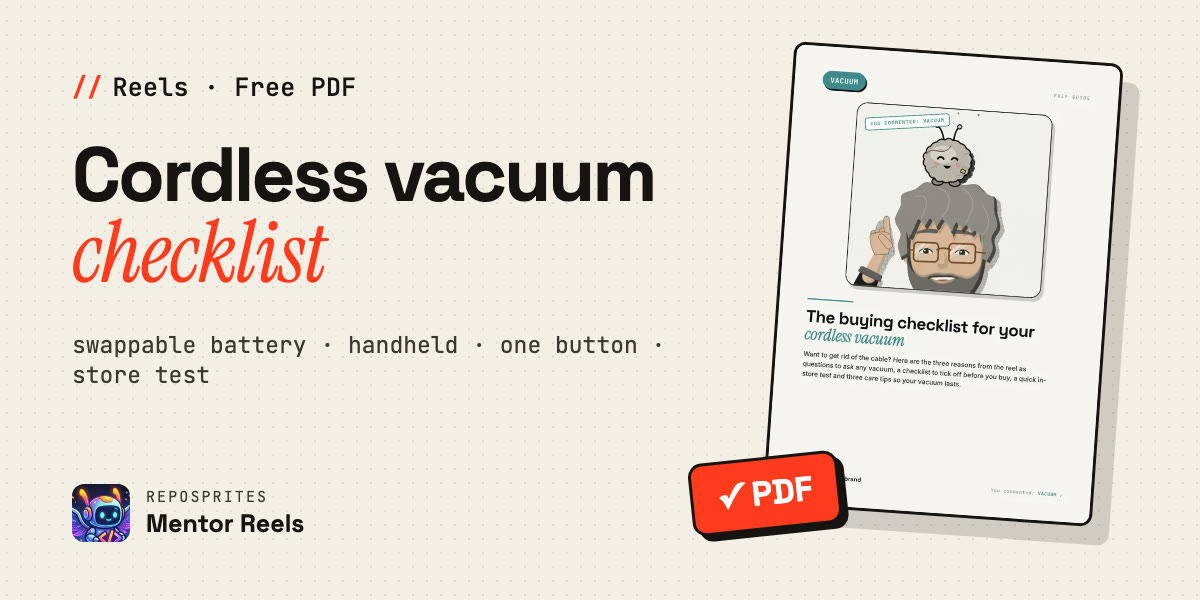
The buying checklist for your cordless vacuum: 3 reasons to ditch the cable
Three reasons for a cordless vacuum as questions to ask any model, plus a checklist, an in-store test and care tips. The example reel for a product niche.
How your product becomes a reel
One sentence about your product in, a finished explainer reel in your look out. The process, shown with a cordless vacuum.