// Repos · Free PDF
ArtCraft: 13 open-source apps instead of a subscription, built with Claude
All 13 Crafting Apps with links, what they can already do, how to connect them to Claude via MCP, and where the limits are.
At a glance
| Question | Short answer |
|---|---|
| What | 13 desktop apps by ArtCraft, open source, free, written in Rust |
| For | Photos, image editing, video, effects, vector, layout, PDF, text, spreadsheets, slides, CAD, audio, interface design |
| Runs on | macOS, Windows, Linux (plus FreeBSD and a web build) |
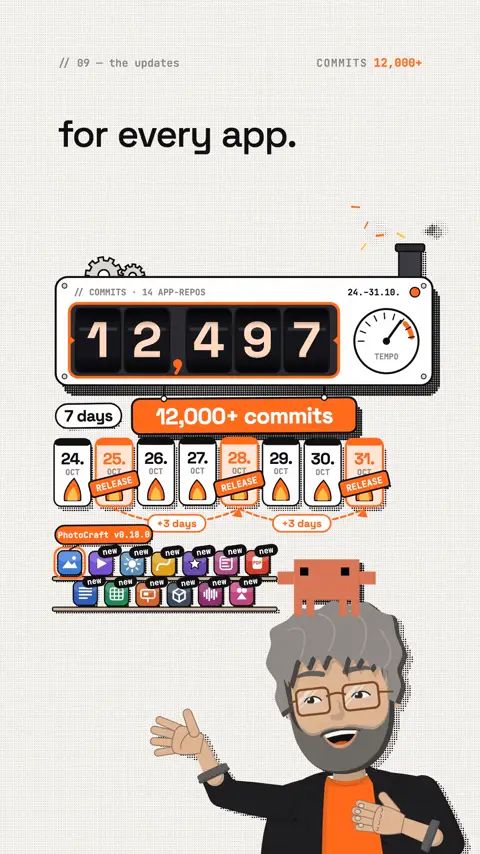
| Speed | 12,497 commits in 7 days, a new release every 3 days for every app |
| Claude | At least every fifth commit carries "Co-Authored-By: Claude"; every app can be driven via MCP |
| Maturity | Everything is alpha or earlier, roughly 40 to 65 % "ready for real work" by their own numbers |
What the video doesn't say
- Rebuilt means clean room here. PhotoCraft says: "implemented from public specs and observed behaviour only. No proprietary code, shaders or assets." VectorCraft is even stricter and forbids its agents from using Adobe software at all.
- Not only Adobe. 7 of the 13 apps follow Adobe programs, the rest follow Word, Excel, PowerPoint, AutoCAD, Pro Tools and collaborative design tools.
- Not yet a replacement for pro work. PhotoCraft says it itself: "not yet a Photoshop replacement for daily professional work". It is fine for playing, learning and simple tasks; test carefully before client work.
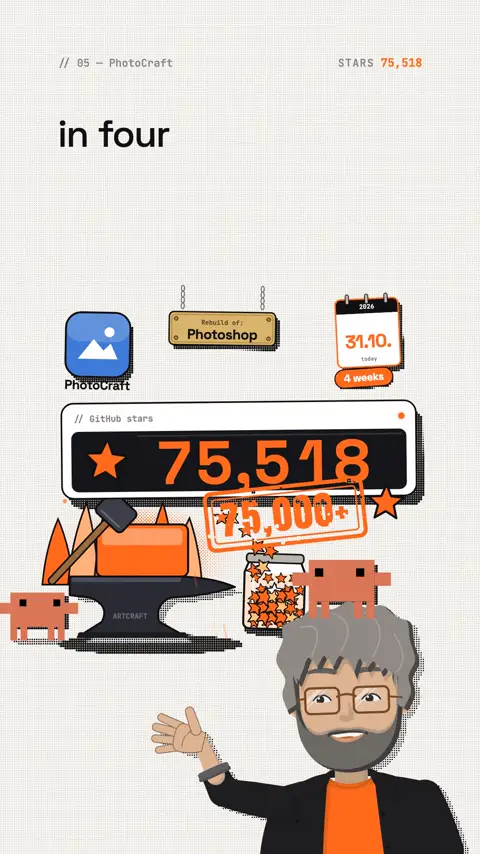
- The stars are high, but young. PhotoCraft has 75,518 stars, and the repo only exists since 30 September 2026.
- The apps are free. Only ArtCraft Studio, the same team's AI image and video app, has an optional subscription.
- Who is behind it is not stated. The sources only say "ArtCraft Team", without names.
Rebuilt, not copied. That's exactly why ArtCraft is exciting: its own code, open to everyone.
The 13 apps with links
| App | For | Link |
|---|---|---|
| PhotoCraft | Image editing with layers, opens PSD | github.com/storytold/photocraft |
| LightCraft | Photo library and RAW development | github.com/storytold/lightcraft |
| FilmCraft | Video editing | github.com/storytold/filmcraft |
| EffectCraft | Motion graphics and effects | github.com/storytold/effectcraft |
| VectorCraft | Vector graphics | github.com/storytold/vectorcraft |
| DesignCraft | Page layout, reads INDD/IDML | github.com/storytold/designcraft |
| PdfCraft | Read and edit PDFs | github.com/storytold/pdfcraft |
| WordCraft | Word processing | github.com/storytold/wordcraft |
| GridCraft | Spreadsheets | github.com/storytold/gridcraft |
| DeckCraft | Presentations | github.com/storytold/deckcraft |
| CADCraft | 2D and 3D CAD | github.com/storytold/cadcraft |
| SoundCraft | Audio workstation | github.com/storytold/soundcraft |
| FigCraft | Interface design, opens .fig | github.com/storytold/figcraft |
How to install
- Easiest: pick the app on getartcraft.com/apps and download it. Or install the Craft Launcher, which fetches all apps.
- macOS gets a signed and notarized
.dmg, Windows a signed.msi, Linux AppImage, Flatpak,.deband.rpm. - Languages: the apps share a translation repo with 41 locales.
The MCP commands for Claude
Every app has a command-line program (…-cli) with a built-in MCP server. With it, Claude Code drives the app: add layers, set formulas, mix tracks, export. The commands come from the READMEs. Replace paths with your own.
WordCraft (edit documents without a window):
Command
claude mcp add wordcraft -- wordcraft-cli mcpGridCraft (read tables, set cells, evaluate formulas):
Command
claude mcp add gridcraft -- gridcraft-cli mcpSoundCraft (demo project to try it):
Command
claude mcp add soundcraft -- soundcraft-cli mcp --demoVectorCraft and LightCraft (with the path to your program or photo folder):
Command
claude mcp add vectorcraft -- /path/to/vectorcraft-cli mcp
claude mcp add lightcraft -- "$PWD/target/release/lightcraft-cli" mcp ~/Pictures/shoot
PhotoCraft starts its MCP server with photocraft-cli mcp. Its README gives no ready claude mcp add command, so add it yourself:
Command
claude mcp add photocraft -- photocraft-cli mcpCheck it worked: type /mcp in Claude Code, the app must show as connected.
What the apps can do today
| App | Strongest number per README |
|---|---|
| PhotoCraft | 307 of 309 PSD test files render the same after saving, 116/116 shape layers pixel-identical, 500+ commands |
| FilmCraft | 650+ commands, 90+ effects, about 30 transitions |
| EffectCraft | 308 effects |
| DeckCraft | 200+ commands with undo |
| All | 3 releases in one week (25, 28 and 31 October 2026) |
Prompts to copy
Prepare a photo for social media (PhotoCraft via MCP):
Prompt to copy
Open [file.psd] in PhotoCraft, add a layer with the text [title] in the top left, export it as PNG at 1080 x 1350 and tell me which commands you used.Analyse a spreadsheet (GridCraft via MCP):
Prompt to copy
Open [file] in GridCraft, calculate the sum and average of column [X], highlight every value above [limit] and save a copy.Write a quote (WordCraft via MCP):
Prompt to copy
Create a quote for [client] in WordCraft with a header, a services table and a total. Use my details: [details]. Save it as [file name].Test first, then switch:
Prompt to copy
I use [program] for [task]. Read the README of [ArtCraft app] and tell me honestly what already works today and what is still missing.Who gains what
| Who | Problem | What you do |
|---|---|---|
| Creators | A subscription for a few images a month | Thumbnails and posts in PhotoCraft, editing in FilmCraft |
| Students | Expensive licences for learning | Install all 13 apps for free and practise |
| Freelancers | Quotes, spreadsheets, slides | WordCraft, GridCraft, DeckCraft, automated by Claude |
| Developers | Want to automate design workflows | Plug the apps' MCP servers into their own agents |
| Linux users | Missing pro tools | Native apps instead of workarounds |
What you can make of it
- Automated graphics: Claude creates series of thumbnails or product images in PhotoCraft via MCP.
- Content: a series "I replace my subscription with ArtCraft for a week", app by app.
- Read and learn: every repo is open, with AGENTS.md and CLAUDE.md. You see how a team uses Claude as a developer.
- Your own agent: a Claude skill that develops raw photos in LightCraft and captions them in PhotoCraft.
Limits and risks
- Alpha: features are missing or change with every release. Back up important files first.
- File formats: PSD support is good, but not byte-identical. Check client files before you hand them back.
- Agent access: an MCP server gives Claude access to files. Use the folder limits the apps offer (e.g.
--automation-read-rootin VectorCraft). - Trademarks: Photoshop, Excel & co. are trademarks of their makers. Per the PhotoCraft README, ArtCraft is "not affiliated with" Adobe. The ArtCraft logos belong to the ArtCraft Team.
- Speed: a release every 3 days also means guides go stale fast. Check the README of the current version.
Your first hour
- Download PhotoCraft (or the Craft Launcher) from getartcraft.com/apps.
- Open one of your own PSD files, change a layer, save, compare.
- Try a second app that fits your day (WordCraft, GridCraft or FilmCraft).
- Add one of the MCP commands above in Claude Code and check it with
/mcp. - Send one of the prompts above to Claude.
- Note what is missing and test again after next week's release.
My tip
Don't cancel your subscription yet. Take one small, real task from your week and do it fully in ArtCraft, ideally with Claude via MCP. In one hour you'll see how far the apps already are for you. At this speed, a second look in two weeks is worth it.
All links, commands and numbers checked on 31 October 2026 on the official pages and in the GitHub repos. Stars and commits rise every day.
13 apps, free, open and built with Claude. I'm curious which one you'll try first.
The reel on this topic
This reel was made with Mentor Reels
Mentor Reels is a skill for Claude Code. From one prompt it makes a finished explainer reel with voice, animation, post texts and a PDF just like this one.
Read the transcript
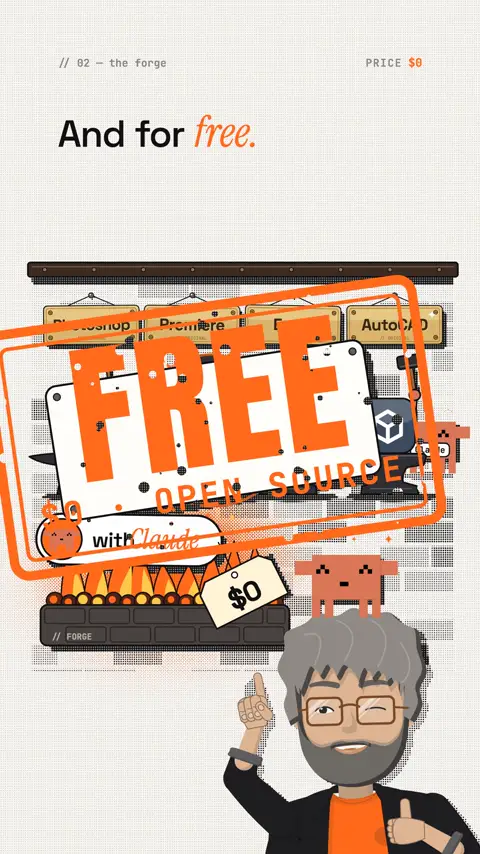
Photoshop, Premiere, Excel, AutoCAD: one team is rebuilding all of them. With Claude. And for free. And the crazy part is the speed. The project is called ArtCraft. Thirteen apps, all open source, for Mac, Windows and Linux. PhotoCraft, the Photoshop rebuild, got over seventy-five thousand GitHub stars in four weeks. It opens real PSD files: three hundred seven out of three hundred nine test files look the same after saving. Plus apps for photos, video editing, vector graphics, effects, PDF, text, spreadsheets, slides, CAD and audio. And now the updates: over twelve thousand commits in seven days. A new release every three days, for every app. Every fifth commit has Claude as co-author. And every app can be controlled via MCP, PhotoCraft with over five hundred commands. So your agent does the editing itself. To be honest: it's all still alpha. But rebuilt, not copied. No Adobe code. Follow me and comment ArtCraft, and I'll send you all thirteen apps with links and the MCP commands for Claude.
Frequently asked questions
What is ArtCraft and what does it cost?
ArtCraft is a team building 13 open-source desktop apps: for photos, image editing, video, effects, vector, layout, PDF, text, spreadsheets, slides, CAD, audio and interface design. The apps are written in Rust, run on macOS, Windows and Linux, and are free. Only ArtCraft Studio, the same team's AI image and video app, has an optional subscription.
Is PhotoCraft a Photoshop replacement yet?
Not yet. PhotoCraft itself says it is "not yet a Photoshop replacement for daily professional work". It opens real PSD files and 307 of 309 test files look the same after saving, but the saved file is not byte-identical. Every app is alpha or earlier, roughly 40 to 65 % "ready for real work" by their own numbers.
Did Claude build these apps?
Claude's part is measurable: in 7 days, 2,531 of 12,497 commits carried "Co-Authored-By: Claude", so at least every fifth one. That is a lower bound, because not every AI commit is tagged. The repos also ship their own instructions for agents (AGENTS.md and CLAUDE.md).
How do I control the apps with Claude via MCP?
Every app has a command-line program with a built-in MCP server. For WordCraft, for example, you run claude mcp add wordcraft -- wordcraft-cli mcp in Claude Code and check with /mcp that the app shows as connected. Keep in mind that an MCP server gives Claude access to files, so use the folder limits the apps offer.
Isn't this just copied from Adobe?
No, the apps are rebuilt clean room. PhotoCraft describes itself as "implemented from public specs and observed behaviour only", with no proprietary code, shaders or assets. VectorCraft even forbids its agents from using Adobe software. According to the PhotoCraft README, the project is not affiliated with Adobe.
How do I install the ArtCraft apps?
The easiest way is to pick the app on getartcraft.com/apps and download it. Or install the Craft Launcher, which fetches and updates all the apps. macOS gets a signed and notarized .dmg, Windows a signed .msi, and Linux AppImage, Flatpak, .deb and .rpm.
Keywords
Goes well with
-
// Skills, repos & add-ons
6 free GitHub repos that get more out of Claude
Hyperframes, Grill Me, Laya, Shaders, Diagram Design and REA: what they do, how to install them, and a quick safety check.
-
// Skills, repos & add-ons
How to choose the right Claude skills: find your perfect skill combo
Why more skills don't help more, what skills.sh really shows, and how Claude finds the right combo with you.
-
// Skills, repos & add-ons
BAMA and REA: rebuild Mac apps with Claude
BAMA rebuilds native Mac apps with 21 skills, REA explains how an app works. Links, install steps, costs and where the legal line is.
-
// Skills, repos & add-ons
Design school for Claude: how to teach it some taste
Why Claude keeps building the same AI page and how four design skills fix it: input, build, motion, review.
ArtCraft: 13 free apps instead of a subscription
One team is rebuilding Photoshop, Excel, AutoCAD and more as free open-source apps, with Claude on every fifth commit. All 13 apps, MCP commands and the honest limits.