// Skills · Free PDF
How to choose the right Claude skills: find your perfect skill combo
The whole system behind the video: why a stuffed Claude works worse, what skills.sh really shows you, why your business project is the key, how Claude finds the right combination with you, the safety check before every install, and how your combo becomes your own helper for your clients.
At a glance
| Question | In short |
|---|---|
| The problem | Everyone recommends "their" skill. Install them all and your Claude is full of tools it never needs, getting in each other's way |
| The overview | skills.sh by Vercel: leaderboards for all time, the last 24 hours and the last hour, plus security scans |
| The key | A fresh Claude project that fully describes your brand, business and goal |
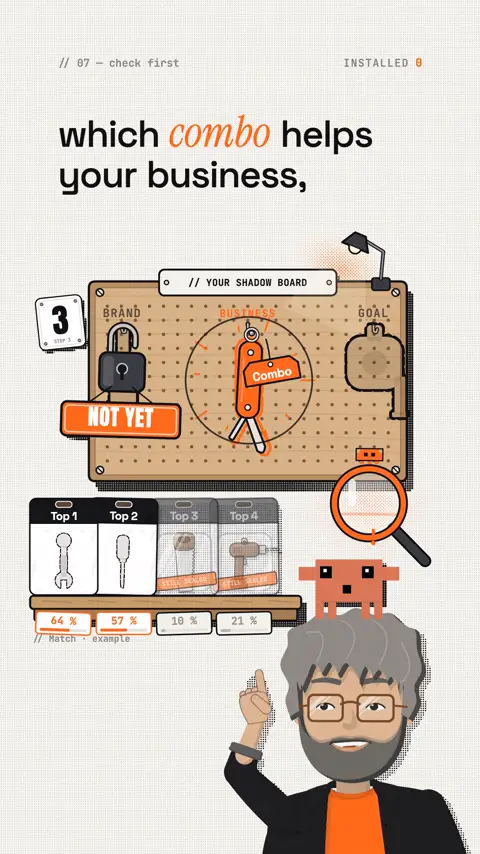
| The choice | Install nothing yet. Claude researches which combination helps exactly you and explains every pick |
| The boost | grill-me: an interview skill that keeps asking until it's clear what fits only you |
| The product | Claude turns the combo into your own skills. They follow an open standard and run in other AI tools too |
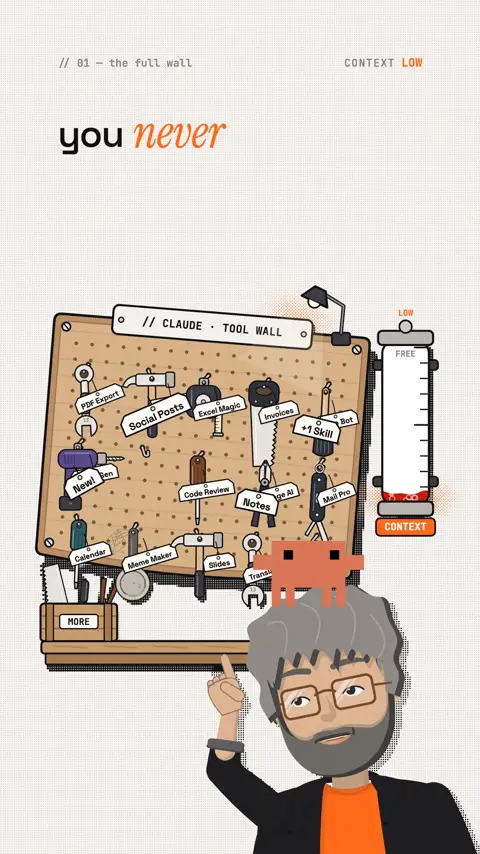
Why more skills don't help more
A skill is a folder with a file called SKILL.md: a name, a short description and the instructions below it, sometimes with scripts, templates or examples. Claude only reads the instructions when a task matches the description. Anthropic calls this "progressive disclosure": name and description are always loaded (about 100 tokens per skill), the actual instructions only when needed.
That sounds as if the number doesn't matter. It does, for three reasons:
- Every description takes up space. The Claude Code docs say it plainly: every listed skill description costs context on every message. One skill is cheap. Fifty are not.
- Descriptions compete. Claude picks a skill by its description. Three skills that all "improve your writing" make the choice shaky, and in the end the wrong one fires.
- Duplicates and clashes. Identical names override each other, and if you install a skill pack once as a plugin and once via skills.sh, you have every skill twice. Matt Pocock even warns about this in his own README.
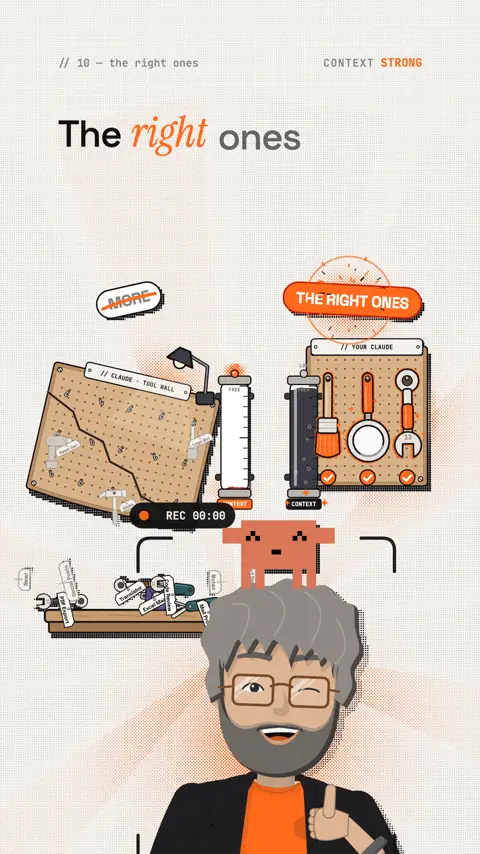
Anthropic doesn't name a hard limit. But the docs recommend finding unused skills (in Claude Code with /skill-doctor) and keeping descriptions narrow. So the goal is not "as few as possible" but: only skills that have a clear job in your business.
A workshop doesn't get better when you hang more tools on the wall. It gets better when every tool has its own place and a job.
What skills.sh really shows you
skills.sh is Vercel's open skill directory ("The Open Agent Skills Ecosystem"). The site shows no prices, and the command-line tool behind it is open source (MIT licence). So you can browse for free.
skills.sh · Vercelskills.sh the leaderboard: All Time, Trending (24h) and Hot (last hour) skills.sh/auditsskills.sh security scans by Gen Agent Trust Hub, Socket and Snyk for each skill skills.sh/officialskills.sh skills straight from the companies behind the technology, including AnthropicTransparency: I have no connection to skills.sh or Vercel. The site isn't mine, I'm not paid to recommend it, and I get no money for referrals. Everything here comes from my own use and my daily work with it. It's my personal experience as a user.
| Section | What you see there |
|---|---|
| All Time | the most-installed skills since launch |
| Trending (24h) | what got installed most in the last 24 hours |
| Hot | movement in the last hour |
| Official | skills from more than 100 makers, including Anthropic |
| Audits | three independent security scans side by side |
| Packs, Topics | collections and topics to browse |
Why the numbers are no proof
The leaderboard is built from anonymous install data of the npx skills tool. A skill shows up automatically as soon as people install it that way. Nothing gets reviewed. That has three consequences:
- Hype counts. When a big account recommends a skill, thousands install it in a day, whether it helps them or not.
- Only one route is counted. Uploads in the Claude app or installs as a plugin don't show up in the leaderboard.
- The top is for developers. On 27 October 2026 the all-time top 5 were: find-skills (4.1M), grill-me (1.4M), hyperframes-cli (1.3M), agent-browser (1.3M) and hyperframes (1.2M). Many of the top 10 are about code, tests and architecture. For a physio practice or an online shop, that's not automatically the right choice.
As an overview, the site is still perfect: in two minutes you see what exists, what's new and which makers offer official skills. That's exactly what you need it for.
Look without installing
If you use Claude Code or another agent tool (Node.js 22.20 or newer), you can look at skills before they land on your computer:
Command
npx skills find [query]
npx skills add <owner/repo> -l
npx skills use <source>@<skill>
find searches the directory, -l lists a repo's skills without installing, use tries a single skill without installing it for good. That fits step 3 perfectly.
Why your business project is the key
A Claude project is its own workspace with project instructions (they apply to every chat in it) and project knowledge (files and text Claude uses as background). Projects exist on every plan, up to five on the free plan. On paid plans, project knowledge can hold up to ten times more material via RAG.
Why this matters so much for choosing skills: without context, Claude can only answer in general ("grill-me is popular"). With your project it can say: "For your shop with three employees and the goal of writing product pages faster, skill A helps you more than skill B, because …". The recommendation is only as good as the description you give it. So: take half an hour here and fill in everything.
Template for the project instructions (copy and fill in)
Prompt to copy
You are my adviser for my business and for the tools I work with. Here is everything about me:
1. Brand: [name, website, in one sentence: what I stand for]
2. Business: [what I sell, rough prices, how I win clients]
3. Audience: [who buys, what problem they have, where I reach them]
4. Goal for the next 6 months: [concrete and measurable]
5. What costs me the most time: [the three biggest time sinks of my week]
6. My tools: [e.g. Claude app, Claude Code, Canva, Shopify, Notion]
7. My plan and my limits: [Claude plan, budget, what must not go into an AI]
8. Tone and style: [casual/formal, examples of texts I like]
If you're missing something for a good answer, ask me first instead of guessing.
Add to the project knowledge what Claude should know about you: your offer, a price list, two or three texts in your style, client questions that keep coming up. From now on, the project is the bar every skill has to clear.
The research: Claude chooses with you
Now comes the reversal. Instead of installing first and checking later whether it helps, you give Claude the candidates and let it make the case. Only when the reasoning convinces you do you install.
1 · Collect the candidates
Prompt to copy
I found these skills on skills.sh: [list with name, repo and link]. Read each one's description and, if you can, the SKILL.md in the repo. Sum up each skill in two sentences: what it really does, who it's built for, and whether it runs scripts or sends data to the internet.2 · Find the right combination
Prompt to copy
Compare the candidates with everything you know about my business in this project. Which two to four skills complement each other so that they help my goal [goal] the most? Give me a table: skill, which of my time sinks it shrinks, why exactly this skill, what it can't do. Recommend four at most.3 · The why and the why-not
Prompt to copy
For every skill you do NOT recommend, explain why it makes no sense for me, even if it ranks high on skills.sh. Be honest when a popular skill is useless for my business.4 · The counter-check
Prompt to copy
Now play the sceptic. What speaks against your combination? Where do the skills overlap, where could they contradict each other, and which one would be the first I uninstall in three months?5 · The install plan
Prompt to copy
Make me a plan: in which order I try the skills, how I can tell within a week whether one is worth it, and which test task I give each skill for that. Only then do I install the next one.Feel free to go back and forth. Push back, ask follow-up questions, add new information. The best combination comes out of the conversation, not the first answer.
I don't install any skill whose job I can't say in one sentence. If Claude can't explain it to me, I don't need it.
grill-me: the interview that sharpens your combo
grill-me is a skill by Matt Pocock (repo mattpocock/skills, MIT licence) and ranks number 2 of all time on skills.sh. It describes itself as "a relentless interview to sharpen a plan or design". In practice: Claude asks you in rounds, numbers every question and suggests an answer right away, which you accept with "yes" or correct. It looks up facts itself, decisions stay with you. It only stops when nothing is left assumed, and it doesn't act before you agree.
The interview works not only for code but explicitly for business decisions and writing too. That's exactly why it fits choosing skills so well.
grill-me on skills.shskills.sh rank, installs, security scans (all three: Pass) mattpocock/skills · GitHubgithub.com the repo with the README and all skillsHow to start it
In Claude Code or another agent tool, install it with the command skills.sh shows:
Command
npx skills add https://github.com/mattpocock/skills --skill grill-meThen type /grill-me in a fresh chat and say what it's about. Good to know: grill-me never starts by itself (it's set up so only you can call it), and the actual logic sits in the grilling skill that grill-me calls. Keep plan mode off.
In the Claude app (web and desktop) there's no documented slash command for skills, and according to the docs, uploads with extra fields that only Claude Code knows fail. Use the grilling skill from the same repo there, or the prompt below Still open: uploading grill-me to claude.ai not tested.
The interview prompt for your skill choice
Prompt to copy
Interview me like a strict adviser before you recommend any skill. Ask your questions in rounds, number every question and suggest an answer for each that I can accept with "yes" or change. Ask about my goal, my time sinks, my clients, my tools and my limits. Only stop when you no longer have to assume anything. Then recommend the two to four skills from my list that fit only me, and say why for each.A tip from the grill-me docs themselves: if you just say "yes" forty times, the AI writes your plan, not you. Answer honestly, including "I don't know".
Why the combination is so valuable
A single skill solves one task. A combination solves a whole workflow. Only when research, creation and review mesh does Claude really save you hours. And because your combination comes from your project, nobody else has it in exactly this form.
| Who | Typical combo | What it gets you |
|---|---|---|
| Creator | interview skill + design skill + your own brand skill | sharpen ideas, build them in your look, always in your voice |
| Agency | research skill + report skill + your own client skill | every client gets analyses in their own design, no copy-paste |
| Shop | product copy skill + image skill + your own shop rules skill | product pages in minutes, with your mandatory details |
| Services | interview skill + proposal skill + your own pricing skill | the first call turns into a clean proposal |
The examples show kinds of skills, not fixed recommendations. Which concrete skills make up your combo, Claude works out with you in your project.
The real value is in the "your own skill" column: that's your knowledge, which Claude brings to every task. How to build it is below.
The safety check before every install
A skill is more than text. It can contain scripts, call tools and send data. Anthropic is clear about it: use skills only from trusted sources, meaning your own or Anthropic's, and treat every install like installing software.
- Check the source: who's behind the repo? An official maker, a known person or an account with no history?
- Look at the audits: compare the three scans on skills.sh/audits. Their verdicts often differ; a "High Risk" means: look closely first.
- Look at the contents: open the repo on GitHub or list its contents with the -l command (see above). Is it only text, or scripts too?
- Read the SKILL.md: do the instructions do what the description promises? Nothing hidden, no instruction to send data anywhere?
- Read the scripts: network access, file access outside the project, commands that don't match the purpose.
- External links: skills that load content from other addresses are riskier, because that content can change.
- Licence: may you use, change and pass on the skill? MIT is generous, other licences not necessarily.
- Avoid duplicates: install a pack either as a plugin or via skills.sh, not both.
Let Claude help:
Prompt to copy
Check this skill before I install it: [link to the repo]. Read the SKILL.md and all scripts. Tell me what it really does, whether it sends data to the internet or touches files outside the project, and whether anything doesn't match the description. At the end: install, install with caution, or skip.Small bonus: if you don't want to send anonymous usage data to skills.sh, put DISABLE_TELEMETRY=1 (or DO_NOT_TRACK=1) before the command. According to the README, this also switches off the security-scan lookup.
Build your own helpers and sell them to clients
Now your combo becomes a product. Let Claude build the parts that work for you into your own skills: your workflows, your rules, your templates, your voice. That's step 4 from the video.
How a skill is built
A skill is a folder whose name matches the skill name, with a SKILL.md and optionally the subfolders scripts/, references/ and assets/. Name and description sit at the top of the file, the instructions below:
Template
---
name: proposal-from-first-call
description: Turns the notes of a first client call into a proposal in the style of [brand]. Use it when the user sends call notes and wants a proposal.
---
# Proposal from first call
1. Read the notes and ask what's missing: scope, deadline, budget.
2. Take the prices from references/prices.md.
3. Write the proposal using assets/template.md, in the tone from references/tone.md.
Rules from the docs: the name has at most 64 characters, only lowercase letters, numbers and hyphens, and may contain neither "anthropic" nor "claude". The description has at most 1,024 characters and says what the skill does and when it's needed. It's what Claude uses to decide whether the skill fits, so: narrow and concrete.
The build prompt
Prompt to copy
From our skill combo and everything you know about my business, build me my own skill following the open Agent Skills standard. It should handle [task]. Give me the folder with SKILL.md (name, description, step-by-step instructions) and the files in references/ and assets/. Use only the standard fields name, description and license so it runs in other AI tools too. Write the description so narrowly that it doesn't overlap with my other skills.Why it runs in other AIs too
Anthropic developed the skill format and released it as an open standard (agentskills.io). OpenAI writes that its skills build on this standard (ChatGPT desktop app, Codex CLI and the Codex IDE extension). GitHub Copilot reads skills from .claude/skills and .agents/skills, among others Still open: Copilot docs not opened directly. The tool behind skills.sh lists around 80 supported agents. Important: fields that only Claude Code knows don't carry over. Stick to the standard fields if the skill should run everywhere.
How to deliver it to clients
| Route | How it works | Good for |
|---|---|---|
| ZIP | zip the folder, the client uploads it in Claude under Customize > Skills | individual users in the Claude app |
| Team | owners of Team or Enterprise accounts provision skills for everyone | business clients on Claude Team |
| Repo | the client installs with npx skills add <owner/repo> | clients with Claude Code, Codex, Cursor |
| API | upload via /v1/skills, applies to the whole workspace | clients who build Claude into their own software |
For the Claude app, your client needs code execution switched on. According to the help article, skills are available there on all plans, including Free Still open: the older platform docs name Pro and up and a different menu path. Skills don't sync between the Claude app, the API and Claude Code; each place needs its own upload. A public repo will eventually show up on skills.sh by itself once it's installed via the tool. For paying clients, a private repo or a ZIP is usually the better choice.
How to sell it: not as a "skill", but as a feature. "From now on, your Claude writes every proposal in your style" is something every client understands. What sells well is a setup package (create the project, find the combo, build the own skill) or a maintenance plan in which you adapt the skill to new prices and workflows.
If you build third-party skills into your package, check their licence first. And if you put your clients' logos, brands or texts into a skill, you're responsible for having the rights to them.
Limits and risks
- No skill replaces your judgement. Claude can make the case, but only as well as the information in your project. Test the recommendation on a real task.
- Leaderboards change daily. The numbers in this guide are from 27 October 2026 and will be different tomorrow.
- Someone else's code stays someone else's code. The scans on skills.sh are a hint, not a guarantee. skills.sh itself doesn't review skills.
- The docs differ. Anthropic's help article and the platform docs describe plans and menus in the Claude app differently. When in doubt, go by what you see in your app.
- Data in the skill. Whatever is in
references/, Claude reads on every use. No passwords, no client data that doesn't belong there.
Your first hour
- Browse skills.sh for 20 minutes: All Time, Trending (24h), Official. Note five to eight candidates.
- Create a new Claude project and fill in the project instructions from this guide completely.
- Load your offer, a price list and two texts in your style into the project knowledge.
- Run prompts 1 and 2: summarise the candidates, let Claude suggest a combo.
- Use the interview prompt (or grill-me in Claude Code) and answer honestly.
- Prompt 4: let it play the sceptic.
- Run the safety check for the two to four winners.
- Only now install the first skill and test it for a week on a real job.
- Remove unused skills again (with npx skills remove, or switch them off in Claude under Customize > Skills).
My tip
Start with the project, not the leaderboard. Once you've written down your brand, your business and your goal properly, you'll know within seconds whether a skill fits. And that same project later becomes the blueprint for your own skill, which you offer clients as a feature.
I checked all links, commands and numbers on 27 October 2026 on the official pages.
More skills don't make your Claude strong. The right ones do. And only you can find them, with your project.
The reel on this topic
This reel was made with Mentor Reels
Mentor Reels is a skill for Claude Code. From one prompt it makes a finished explainer reel with voice, animation, post texts and a PDF just like this one.
Read the transcript
Everyone tells you: get this skill. And in the end, your Claude is full of skills you never use. Do it right in four steps, and the last one turns it into a product for your clients. First: don't stuff your Claude. Even the Claude docs say every skill description costs context on every message. Search skills dot sh instead: the top skills, all time and from the last twenty-four hours. Influencer hype can inflate the numbers, but as an overview, the site is perfect. Second: start a fresh project in Claude and describe your brand, business and goal, completely. Third: give Claude the top skills, but install nothing yet. Let it research which combo helps your business, and why. My tip: grill-me grills you with questions until it's clear what fits only you. Fourth: let Claude turn them into your own helpers. They run in other AIs too, so you sell them to clients as a feature. More skills don't make your Claude strong. The right ones do. Comment SEARCH and I'll send you the whole system behind it, from business project to perfect skill combo.
Frequently asked questions
Do many skills make Claude worse?
Not every skill, but the number counts: the name and description of every skill are always loaded, and according to the Claude Code docs each listed description costs context on every message. Similar descriptions also compete, so Claude picks the wrong skill more easily.
What does skills.sh show, and does it cost anything?
skills.sh is Vercel's open skill directory. It shows leaderboards (All Time, Trending 24h, Hot), official skills from more than 100 vendors and three security scans per skill. The site shows no prices, and the tool behind it is open source (MIT).
Are the install numbers on skills.sh proof of quality?
No. The leaderboard is built from anonymous install data of npx skills, and nothing is checked. Hype counts too, while uploads in the Claude app and plugins are not counted. As an overview the site is still very good.
What is grill-me?
grill-me is a skill by Matt Pocock (repo mattpocock/skills, MIT licence). Claude interviews you in rounds, suggests an answer to each question and only stops when nothing is merely assumed. Install: npx skills add https://github.com/mattpocock/skills --skill grill-me, start with /grill-me.
Do my own skills run in other AI tools?
Yes, if you stick to the standard fields name, description and license. The skill format is an open standard (agentskills.io), and OpenAI says its skills build on it. Fields that only Claude Code knows don't carry over.
How do I check a skill before installing it?
Check the source, compare the three audits on skills.sh/audits, read SKILL.md and every script, watch for network and file access, check the licence and never install a package twice. Anthropic advises using skills only from trusted sources.
Keywords
Goes well with
-
// Skills, repos & add-ons
6 free GitHub repos that get more out of Claude
Hyperframes, Grill Me, Laya, Shaders, Diagram Design and REA: what they do, how to install them, and a quick safety check.
-
// Skills, repos & add-ons
BAMA and REA: rebuild Mac apps with Claude
BAMA rebuilds native Mac apps with 21 skills, REA explains how an app works. Links, install steps, costs and where the legal line is.
-
// Skills, repos & add-ons
ArtCraft: 13 open-source apps instead of a subscription, built with Claude
One team is rebuilding Photoshop, Excel, AutoCAD and more as free open-source apps, with Claude on every fifth commit. All 13 apps, MCP commands and the honest limits.
-
// Skills, repos & add-ons
Design school for Claude: how to teach it some taste
Why Claude keeps building the same AI page and how four design skills fix it: input, build, motion, review.
Find your perfect skill combo
Why more skills don't help more, what skills.sh really shows, and how Claude finds the right combo with you.