// Skills · Free PDF
Design school for Claude: how to teach it some taste
The full course behind the reel: what causes the AI look, the four design skills in depth with ten use cases each, the best combinations as step-by-step workflows, and every prompt to copy. Written like a workbook: read, try, tick off.
How to use this workbook
In this workbook I am your tutor. You don't need to know how to code. Every lesson follows the same pattern: understand first, then try it, then remember it.
| Lesson | What you learn | Time |
|---|---|---|
| 0 Search data | Why this topic is exploding right now | 3 min |
| 1 Basics | What a skill is and why Claude builds the AI look | 10 min |
| 2 Input | UI UX Pro Max: colors, fonts and rules for your industry | 15 min |
| 3 Build | Taste Skill: build a page with a clear direction | 45 min |
| 4 Motion | Skills by Emil Kowalski: animations that fit | 10 min |
| 5 Review | Impeccable: find and fix the AI look | 15 min |
| 6 Combine | Six ready-made workflows for typical jobs | 20 min |
Your learning goal: by the end you build a page with Claude that looks like your brand, not like AI, and you know which skill does what and when.
Lesson 0: What the search data reveals
Before we start, a look at demand. I analysed the topics with DataForSEO: Google search volume per month, average of the last twelve months, as of 31 October 2026.
| Search term | USA | Germany | Trend |
|---|---|---|---|
| claude code | 550,000 | 135,000 | almost tripled in a year |
| claude design | 135,000 | 33,100 | practically zero a year ago |
| ai slop | 60,500 | 8,100 | high and stable |
| claude skills | 40,500 | 8,100 | more than doubled |
| claude code skills | 12,100 | 2,900 | growing |
| ui ux pro max (skill) | 5,400 | 1,300 | brand new |
| taste skill | 2,400 | 880 | brand new |
| impeccable skill | 1,900 | – | brand new |
What this means for you:
- Designing with Claude is the topic of the moment. "claude design" went from almost nothing to 135,000 searches a month in the US within twelve months.
- People mostly ask how. The most common questions: how do I add skills to Claude Code, how do I use them, which are the best, and "Impeccable vs Taste Skill". This workbook answers exactly that.
- "AI slop" is an established term. More than 60,000 searches a month in the US show that people notice the interchangeable AI look. Avoid it and you stand out.
Lesson 1: Basics
What is a skill?
A skill is a set of instructions in a folder, usually a SKILL.md file, often with scripts and reference files. At first Claude only reads the name and a short description. It loads the full content only when a task fits or when you call it with /name.
Good to know: according to the official Claude Code docs, the list of all skill descriptions has a fixed budget of 1 % of the context window. Install a lot of skills and Claude Code drops descriptions, starting with the ones you use least. Then Claude finds the right skill less reliably. /skill-doctor shows you which skills you never use.
Why does Claude build the AI look?
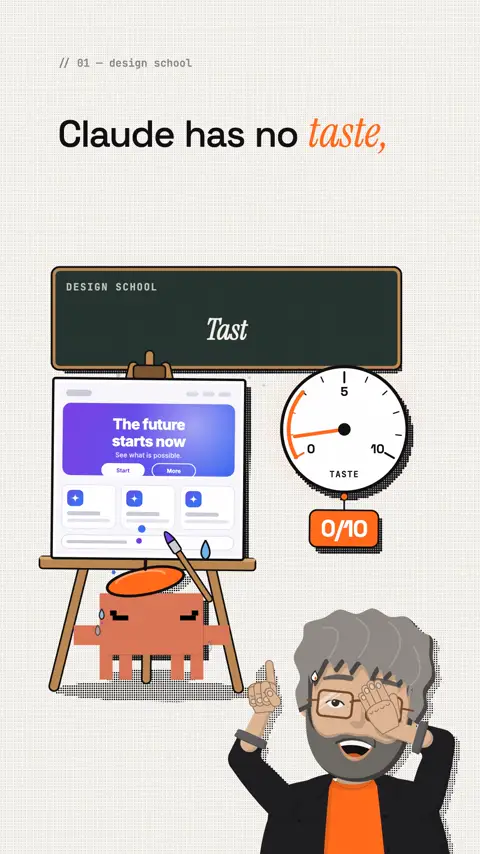
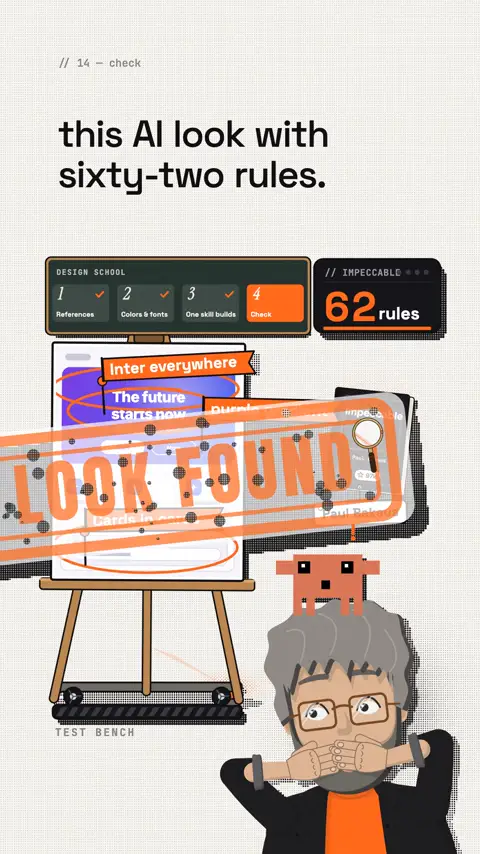
Without guidance, a language model goes for the average of every page it has seen. The Impeccable README names the typical tells:
- Inter for everything
- Purple-to-blue gradients
- Cards nested in cards
- Gray text on colored backgrounds
- A rounded-square icon tile above every heading
Claude doesn't have bad taste. It just never got any. A skill gives it the decisions nobody else makes.
The model: four roles
Remember this picture, it carries the whole course: input → build → motion → review. Each role has a skill, and for each job only one sits at the wheel.
| Role | Skill | The question it answers |
|---|---|---|
| Input | UI UX Pro Max | Which colors, fonts and rules fit my industry? |
| Build | Taste Skill | What does a page with one clear idea look like? |
| Motion | Emil Kowalski | Which animation goes where, how fast, with which curve? |
| Review | Impeccable | Where is the AI look still hiding, what do I fix first? |
Quick check: can you list the four roles from memory? Then move on.
Lesson 2: UI UX Pro Max, the input
What it is: a searchable design database for Claude, by Next Level Builder. According to the README: 79 UI styles, 192 color palettes, 74 font pairings, 25 chart types, 119 UX guidelines, 22 tech stacks and 192 industry rules. About 143,000 stars on GitHub.
How it works: Claude calls a small search script. For a new page it creates a complete design system. On request it saves it permanently as design-system/<project>/MASTER.md. Exceptions for single pages live in design-system/<project>/pages/.
Install:
Template
/plugin marketplace add nextlevelbuilder/ui-ux-pro-max-skill
/plugin install ui-ux-pro-max@ui-ux-pro-max-skill
Top 10 use cases
| # | Situation | How to use it |
|---|---|---|
| 1 | New page for an industry | Let it create a design system for your industry. The 192 rules range from dental and legal to restaurants and SaaS. |
| 2 | Project with several pages | Save the design system as MASTER.md so every page follows the same rules. |
| 3 | One page should look different | Add a page override (for example the dashboard), MASTER stays untouched. |
| 4 | Find matching colors | Search the color palettes by mood, for example "warm artisanal". |
| 5 | Find matching fonts | Search font pairings by mood, with the Google Fonts import included. |
| 6 | Structure a landing page | Search the landing page patterns: hero, social proof, pricing. |
| 7 | Dashboard with numbers | Pick the right chart type and a denser spacing scale. |
| 8 | Accessibility | Query the UX rules: contrast 4.5:1, touch targets 44 × 44 px, visible focus. |
| 9 | Bolder or calmer | Set the dials for variance, motion and density from 1 to 10. |
| 10 | A specific stack | Get implementation rules for your stack, for example Next.js, Vue, Flutter or Tailwind. |
Try it
Prompt to copy
Use UI UX Pro Max and create a design system for [industry, e.g. a bakery in Brooklyn]. Audience: [who]. Save it permanently in the project and show me the colors and fonts before you continue.Remember: rules first, then build. Build without input and you get the average.
Lesson 3: Taste Skill, the build
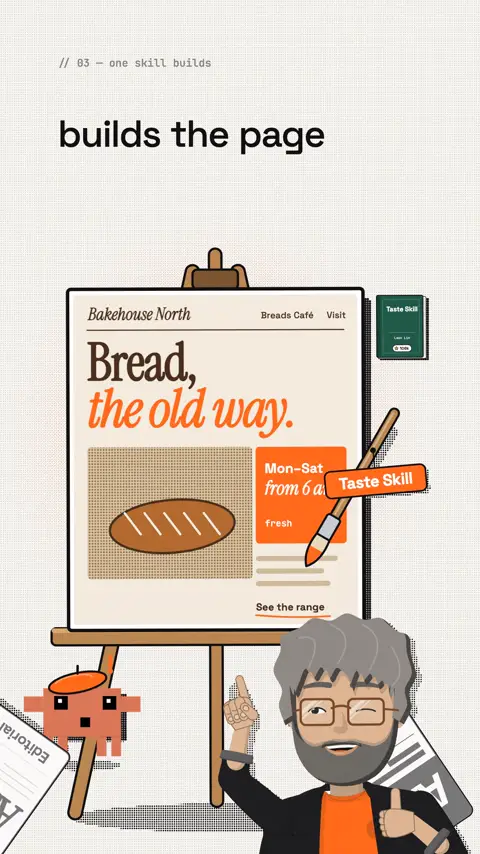
What it is: a skill that gives Claude an art direction, by Leon Lin. Built from a study of 247 websites (Awwwards Sites of the Day and One Page Love). About 106,000 stars on GitHub.
How it works: Claude reads the brief. A script deals three of 20 researched directions and Claude picks one. It finds one idea in a sentence, builds with real pictures from open archives (credited), checks the page in a real browser at three widths, and fixes the top three problems in up to three rounds.
What you need to know: according to the README a run takes 30 to 45 minutes and a few hundred thousand tokens. You need Node 22 or newer and Chrome, Edge or Chromium.
Install:
Command
npx skills add https://github.com/Leonxlnx/taste-skill --skill "design-taste-frontend"Top 10 use cases
| # | Situation | How to use it |
|---|---|---|
| 1 | New landing page | The standard run: three directions, one idea, build, check in the browser. |
| 2 | Portfolio, event, restaurant | Exactly these "pages that are read and scrolled" are the skill's core job. |
| 3 | Dashboard or admin area | A separate app run with its own rules: quiet panels, color spent on data. |
| 4 | Settings, billing, inbox | Also app screens, with a check made for apps. |
| 5 | Product site that shows your app | The page follows the page rules, the app fragments on it follow the app rules. |
| 6 | Fixed brand colors and fonts | With --keep palette,type it only changes the composition, your brand stays. |
| 7 | Redesign an existing page | Measure the "before", keep the stack and content, then compare the "after". |
| 8 | Just an honest review | Review mode stops after the critique and names the three changes that move the page most. |
| 9 | A single section | For components it matches the surrounding design and still checks the result. |
| 10 | No photos of your own | Pictures from Wikimedia Commons, Openverse or the Met, only public domain or CC, credited. |
Try it
Prompt to copy
Use Taste Skill and build a landing page for [project]. Follow the design system in the project and the references [Image #1] and [Image #2]. Use only real content: [facts, prices, opening hours]. Don't invent numbers or testimonials.Remember: one skill builds. Two building skills on the same page pull in different directions.
Lesson 4: Skills by Emil Kowalski, the motion
What it is: a collection of skills for animation and interface details, by Emil Kowalski. According to his README they are based on his years at Vercel and Linear. About 52,000 stars on GitHub.
Why it matters: according to the README, agents often pick the wrong curve, for example ease-in for something that enters. The right one there is ease-out: fast in, soft landing. These small things add up and decide whether a page feels premium.
Install:
Command
npx skills@latest add emilkowalski/skillsTop 10 use cases
| # | Situation | Skill |
|---|---|---|
| 1 | A new animation from scratch | animate picks the curve, duration and properties. |
| 2 | Review existing animations strictly | review-animations checks against his rules. |
| 3 | Clean up a whole codebase | improve-animations writes a plan any agent can execute. |
| 4 | Where is motion worth it at all? | find-animation-opportunities finds spots and also says what to leave still. |
| 5 | Too much motion | remove-animations removes things like fade-ins on every section. |
| 6 | Janky animations | animation-performance finds where frames are dropped. |
| 7 | You can't describe what you want | animation-vocabulary gives you the right words for the prompt. |
| 8 | Web app should feel native on a phone | mobile-native fixes tap delays, the 100vh bug and zoom on input fields. |
| 9 | Test the interface with real data | break-ui tries long names, empty lists, huge numbers. |
| 10 | Compare several versions | prototype builds versions of a component with a switcher. |
Also in the package: apple-design (Apple's design principles for the web), pick-ui-library (proven libraries instead of hand-rolled ones) and animate-expo (React Native).
Remember: things that enter get ease-out. And not everything has to move.
Lesson 5: Impeccable, the review
What it is: "The design vocabulary for your coding agent", by Paul Bakaus, who according to his GitHub profile created jQuery UI. Impeccable brings 24 commands and a slop detector with 62 deterministic rules that run without AI and without an API key. About 97,000 stars on GitHub.
Install:
Command
npx impeccable installThen reload your tool and run /impeccable init once. The installer offers a design hook that checks every file Claude edits. Accept it.
Top 10 use cases
| # | Situation | Command |
|---|---|---|
| 1 | Set up a project | /impeccable init writes PRODUCT.md, /impeccable document writes DESIGN.md. |
| 2 | Scored design critique | /impeccable critique scores and ranks what to fix first. |
| 3 | Technical audit | /impeccable audit: accessibility, performance, theming, responsive, ranked P0 to P3. |
| 4 | Final pass before shipping | /impeccable polish |
| 5 | Page is too safe or too loud | /impeccable bolder or /impeccable quieter |
| 6 | Page is cluttered | /impeccable distill removes what the page doesn't need. |
| 7 | Type, color or spacing is off | typeset, colorize or layout, aimed at one area |
| 8 | Edge cases and mobile | harden (errors, i18n, overflow) and adapt (screen sizes) |
| 9 | Variants right in the browser | /impeccable live: pick an element, cycle variants, accept one |
| 10 | Checks without an agent, also for teams | npx impeccable detect src/, with --github as GitHub Actions annotations |
Tip from the README: target one component, not the whole page. /impeccable critique the pricing cards gives better results than a glance at everything.
Remember: Impeccable gets the last word before anything goes live.
Lesson 6: Combinations that work
Now we put the roles together. Each workflow is written so you can use it as is.
Workflow A: New landing page
- Drag three screenshots of sites you like into Claude Code or paste them with Ctrl+V. They show up as
[Image #1],[Image #2]. - UI UX Pro Max creates the design system and saves it as MASTER.md.
- Taste Skill builds only the top section of the page first.
- Run
/impeccable critiqueon that section and fix the first three points. - Taste Skill builds the rest, Emil's
review-animationschecks the motion. - Finish with
/impeccable auditand/impeccable polish.
Workflow B: An existing page looks like AI
npx impeccable detect https://your-site.comshows which tells it finds./impeccable critiqueranks the problems.- Fix them one by one:
typesetfor type,colorizefor color,distillagainst clutter. - Use Taste Skill only if the whole page should be redone, in redesign mode with a before/after comparison.
Workflow C: Dashboard or app screens
- UI UX Pro Max with high density and a chart recommendation.
- Taste Skill builds the interface in its app run.
- Emil's
break-uitests with extreme data,mobile-nativetakes care of the phone view. /impeccable auditbefore going live.
Workflow D: Fixed brand colors
/impeccable documentcaptures your existing design in DESIGN.md.- Taste Skill with
--keep palette,type: your colors and fonts stay, only the composition is new. - Impeccable reviews. If Inter is your brand font, allow it:
npx impeccable ignores add-value overused-font Inter --reason "Brand font".
Workflow E: Agency with several clients
- One project folder per client with its own MASTER.md (UI UX Pro Max) or DESIGN.md (Impeccable).
- Always the same building skill, so quality stays comparable.
npx impeccable detect --githubin the pipeline: every change is checked automatically.
Workflow F: Adding animations
find-animation-opportunitiesshows where motion helps.animatebuilds it with the right curve.remove-animationsandanimation-performanceclean up.
Better avoid these combinations
| Combination | Why not |
|---|---|
| Taste Skill + Impeccable building at the same time | A hands-on test on DEV Community found overlapping, partly conflicting rules. Build first, then review. |
| frontend-design + Impeccable at the same time | According to its own README, Impeccable started from frontend-design: the same idea twice. |
| OpenDesign + the same skills installed separately | OpenDesign ships copies of taste-skill, impeccable and frontend-design: duplicates in your skill list. |
Impeccable animate + Emil's animate | Two animation rulebooks on the same spot. Pick one. |
How to make sure only one builds: call the building skill by name ("Use Taste Skill to …"). Skills you rarely need can be set to "user-invocable-only" with skillOverrides in the Claude Code settings. Then Claude only starts them when you type /name.
Guide: Your first page in 60 minutes
| Minute | Step | What you do |
|---|---|---|
| 0-10 | Install | Install the four skills, restart Claude Code. |
| 10-15 | References | Collect three screenshots, for example on Awwwards or Dribbble, and drag them into Claude Code. |
| 15-20 | Analysis | Let Claude describe what the references do well (prompt below). |
| 20-25 | Input | UI UX Pro Max: design system for your industry, saved as MASTER.md. |
| 25-45 | Build | Taste Skill: only the top section of the page. |
| 45-55 | Review | /impeccable critique, fix the first three points. |
| 55-60 | Polish | review-animations, then /impeccable polish. |
Prompts to copy
Analyse references:
Prompt to copy
Look at [Image #1] and [Image #2]. Describe in 5 points what these pages do well (type, colors, spacing, images, structure). Don't build anything yet, I want to see your analysis first.Design system for your industry:
Prompt to copy
Use UI UX Pro Max and create a design system for [industry]. Audience: [who]. Style: [calm / bold]. Save it permanently in the project and show me the colors and fonts before you continue.Build only the top section:
Prompt to copy
Use Taste Skill and build only the top section of the home page for [project]. Follow the design system and [Image #1]. Show me the result in the browser before you build the rest.Fixed brand colors:
Prompt to copy
Our brand only uses these colors: [hex values] and these fonts: [names]. Don't change them. Only redesign the layout, images and spacing.Check animations:
Prompt to copy
Review all animations on this page with the skills by Emil Kowalski. List what is too slow, too much or uses the wrong curve, and suggest fixes.Test with real data:
Prompt to copy
Use break-ui and test this page with extreme data: very long names, empty lists, very large numbers. Show me what breaks.Honest critique:
Template
/impeccable critique the home pageCommon problems and fixes
| Problem | Cause | Fix |
|---|---|---|
| Claude doesn't use the skill | Description doesn't match or was dropped | Call the skill with /name, run /skill-doctor |
| Page still looks like AI | No references, no fixed colors | Go back to lesson 2 and step 1 of workflow A |
| Page invents features and numbers | No real facts in the brief | Give the facts and write "don't invent anything" |
| Usage limit runs out fast | Whole page built at once | Build section by section |
| Taste Skill doesn't check in the browser | No Node 22 or no Chrome | Update Node, install Chrome or Edge |
| Impeccable complains about your brand font | The overused-font rule | Allow the font with ignores add-value |
Alternatives if one doesn't fit
| Skill | Role | Note |
|---|---|---|
| Hallmark | builds | By Together AI. 50 themes, checks at eight widths. Instead of Taste Skill, not in addition. |
| frontend-design | builds | Official skill by Anthropic, one of the most installed design skills on skills.sh. |
| Awesome DESIGN.md | input | 84 ready-made DESIGN.md files. As a learning template only, see the risks. |
| web-design-guidelines | reviews | By Vercel. 100+ rules for accessibility, performance and UX. |
Limits and risks
- Don't copy other people's designs. Screenshots are inspiration. Rebuilding someone else's site or brand one to one can infringe trademark and copyright. You are responsible for the rights to other people's logos, images and text.
- Check image rights. Taste Skill uses images from open archives and puts the credits on the page. Keep those credits or replace the images with your own.
- Install other people's code consciously. Every skill is code or instructions written by someone else. Look at the repo before you install, especially hooks that run automatically.
- Stars are not proof of quality. There is no independent comparison. Stars show attention, not fitness for your project.
- Invented content. Building skills can make up features or numbers. Read everything before the page goes live.
Check your knowledge
Answer the questions before you read the solution.
- In which order do the four roles work? Answer: input, build, motion, review.
- Why not two building skills at once? Answer: their rules overlap and partly conflict, each pulls in its own direction.
- Which curve does an element get when it enters? Answer:
ease-out. - Where does UI UX Pro Max save your design system? Answer: in
design-system/<project>/MASTER.md. - What does
/skill-doctorshow you? Answer: which skills you never use and what they cost in context.
- I know the four roles and their skills
- I have installed the four skills
- I have created a design system for my industry
- I have built one section with Taste Skill
- I have reviewed and improved it with Impeccable
- I have checked the animations with Emil's skills
My tip
Start small: one section, three screenshots, fixed colors. Once the top section looks good, the rest builds on it. And always give Impeccable the last word before anything goes live.
All links, commands and numbers checked on 31 October 2026 in the repos and on the official pages. Search volume: DataForSEO (Google Ads data), monthly average of the last twelve months.
Give Claude good examples, fixed rules and an honest reviewer. Then it has taste.
The reel on this topic
This reel was made with Mentor Reels
Mentor Reels is a skill for Claude Code. From one prompt it makes a finished explainer reel with voice, animation, post texts and a PDF just like this one.
Read the transcript
Claude has no taste, but you can teach it design, in four steps. And the last step catches the typical AI look before anyone sees it. Otherwise Claude builds the same page again and again: purple gradients, Inter font, cards inside cards. Four design skills with almost four hundred thousand GitHub stars change that. First: show it what you want. Drag screenshots of sites you like into Claude Code, for example from Awards or Dribbble. Second: give it fixed colors and fonts. If you don't have any, UI UX Pro Max by Next Level Builder sets them to match your industry. Third: let one design skill build the page, not several at once. I use Taste Skill by Leon Lin: it picks a style, builds the page and then checks it in the browser by itself. For animations, add the skills by Emil Kowalski: they show Claude which motion fits where. And fourth: get it checked. Impeccable by Paul Bakaus finds exactly this AI look with sixty-two rules. So Claude doesn't have bad taste, it just never got any. Follow me and comment taste, and I'll send you all the commands and my prompts.
Frequently asked questions
Why do Claude's websites often look the same?
Without guidance, a language model goes for the average of every page it has seen. The Impeccable README names the typical tells: Inter for everything, purple-to-blue gradients, cards nested in cards, gray text on colored backgrounds and an icon tile above every heading.
Which design skills are there for Claude Code?
I use four, each with one role: UI UX Pro Max for colors, fonts and rules, Taste Skill to build, Emil Kowalski's skills for animation and Impeccable to review. Together they have almost 400,000 GitHub stars.
Impeccable vs Taste Skill: which one?
Both, one after the other. Taste Skill builds the page, Impeccable reviews it afterwards. A hands-on test on DEV Community found overlapping, partly conflicting rules when both build at the same time.
How do I install Taste Skill?
Run npx skills add https://github.com/Leonxlnx/taste-skill --skill "design-taste-frontend". You need Node 22 or newer and Chrome, Edge or Chromium. According to the README a run takes 30 to 45 minutes and a few hundred thousand tokens.
What does Impeccable do?
Impeccable by Paul Bakaus brings 24 commands and a slop detector with 62 deterministic rules that runs without AI and without an API key. Install it with npx impeccable install, then run /impeccable init once. /impeccable critique gives you a scored critique.
Do many design skills make Claude worse?
They can. According to the Claude Code docs, the list of all skill descriptions has a budget of 1 % of the context window. Install a lot of skills and Claude Code drops descriptions, so Claude finds the right one less reliably. /skill-doctor shows which ones you never use.
Keywords
Goes well with
-
// Claude Code & the desktop app
My Claude V2 blueprint: every project from one main chat
One main chat, one session per step: how I pitch an idea in Claude Code, roast it, check it against real search numbers and build it.
-
// Skills, repos & add-ons
6 free GitHub repos that get more out of Claude
Hyperframes, Grill Me, Laya, Shaders, Diagram Design and REA: what they do, how to install them, and a quick safety check.
-
// Skills, repos & add-ons
How to choose the right Claude skills: find your perfect skill combo
Why more skills don't help more, what skills.sh really shows, and how Claude finds the right combo with you.
-
// Skills, repos & add-ons
BAMA and REA: rebuild Mac apps with Claude
BAMA rebuilds native Mac apps with 21 skills, REA explains how an app works. Links, install steps, costs and where the legal line is.
Design school for Claude: how to teach it some taste
Why Claude keeps building the same AI page and how four design skills fix it: input, build, motion, review.