// Claude Code · Free PDF
My Claude V2 blueprint: every project from one main chat
How I set up every project in Claude Code, whether it's an app, a website or a dashboard: one main chat, one session per step, real search data and a design that doesn't look like AI. With every command and prompt to copy.
At a glance
| Question | Short answer |
|---|---|
| What is "Claude V2"? | My nickname for Claude Code in the new Claude desktop app (the Code tab). Not an official product name. |
| Do I need to code? | No. You write in plain words what should come out. You should still read what Claude is about to do. |
| What does it cost? | Claude Code in the desktop app needs a paid Claude plan. DataForSEO charges per request. |
| The workflow | 1 pitch the idea · 2 discuss it in the Roast Room · 3 check it against real search numbers · 4 build it with design skills |
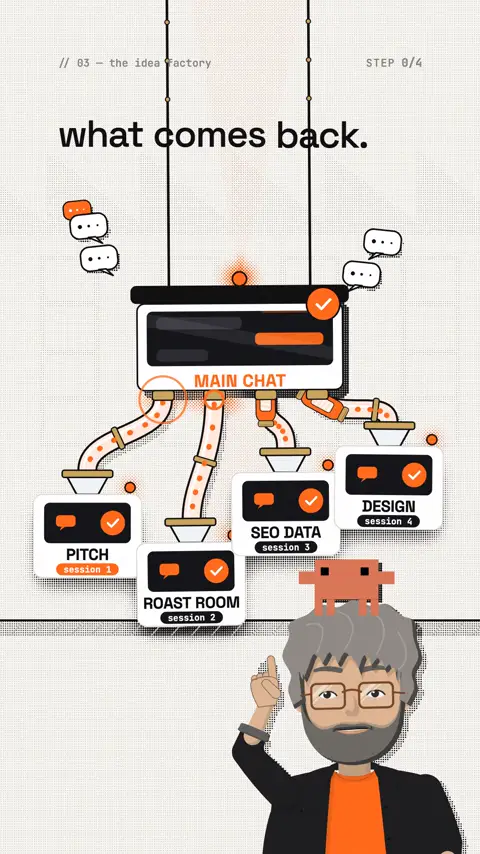
| The trick behind it | A main chat on top, with its own session for every step below it. Each session has its own context and reports back. |
What "Claude V2" really is
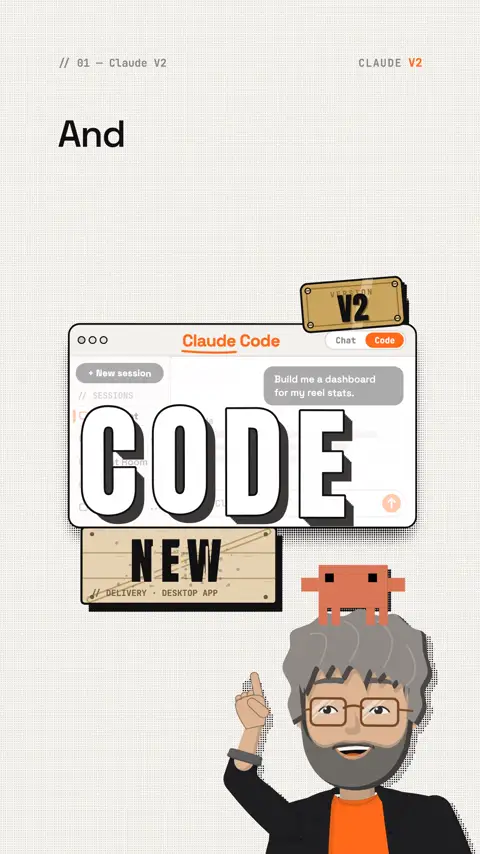
Some creators call the new desktop app "Claude V2", and so do I. What it means: Claude Code in the Code tab of the Claude app. According to Anthropic's docs the app ships with Claude Code, so you don't install anything in a terminal. You only need a paid plan.
The difference to the normal chat: Claude works directly in a folder on your computer. It creates files, changes them and checks the result. In the chat you copy everything back and forth.
The features I use every day (all described in the official docs):
| Feature | What it does for you |
|---|---|
| Sessions | Every conversation is its own session with its own history and project folder. Start one with + New or Cmd+N. |
| Sub-sessions | When Claude suggests a task, Start runs it as its own session. It shows up in the sidebar under the main session. |
| Work across sessions | A session can read your other sessions and send them messages. That turns one chat into your main chat. |
| Side chat | A side question with Cmd+; or /btw, without interrupting the running work. |
| Split view | Two sessions side by side: right-click a session → Open in → Split view. |
| Worktree | Each session works in its own copy of the project when two sessions might touch the same files. |
| Projects | Threads that keep running in the cloud even when your laptop is closed. Beta for Pro and Max, not yet for Team. |
The chat is for asking. Claude Code is for making.
My workflow in 4 steps
I start every project in one main chat. It gets my goal and starts its own session for every step. I almost only talk to the main chat; it checks what comes back.
1 · Pitch the idea
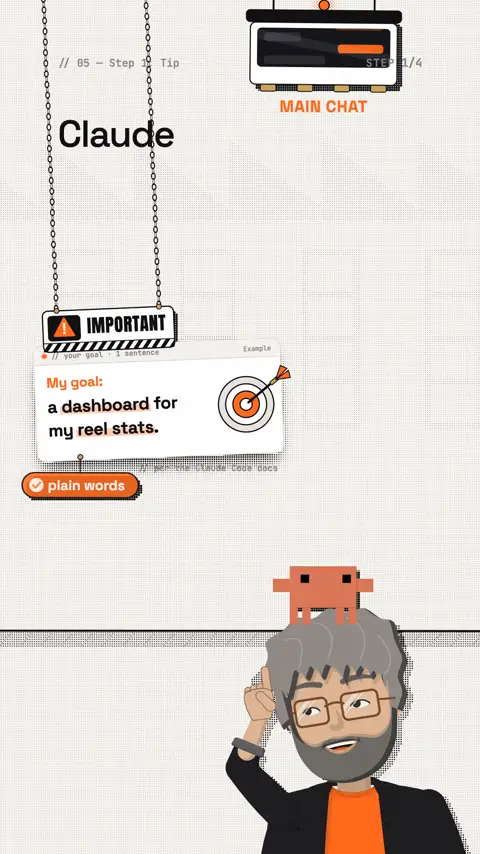
One sentence is enough: it describes the goal, not the route. Anthropic's docs put it this way: describe what you want in plain language; Claude Code plans the approach itself.
Prompt to copy
My goal: [a dashboard for my reel stats]. Be my main chat: plan the steps, start a separate session for each step, check their results and only report the important parts to me.2 · Discuss it in the Roast Room
You know the Roast Room from an earlier reel: a free skill by Nate Herk and his AI Automation Society (MIT license). Seven AI advisor roles (strategy, product, pricing, marketing, team, operations, money) tear your idea apart in three rounds, and at the end there's a verdict with next steps.
Roast Room · nateherkai/roast-roomgithub.com the skill, with instructions in the READMETemplate
Clone github.com/nateherkai/roast-room and start the room for me.Then in Claude Code: /roast-room [your decision]. For small questions there's the quick mode --quick. According to its instructions, a full council takes about one million tokens.
3 · Check it against real search numbers
The verdict sounds good, but is anyone actually searching for it, and with which words? That's what I connect DataForSEO for. The official MCP gives Claude access to search volume, competition and Google results.
DataForSEOdataforseo.com SEO data right inside Claude, I use it every dayAffiliate link: if you sign up through it, I earn a commission. You pay the normal prices.
DataForSEO MCP · dataforseo/mcp-server-typescriptgithub.com the official MCP server with setupHow to connect the hosted server to Claude Code (command from the Claude docs, address from the DataForSEO README):
Command
claude mcp add --transport http dataforseo https://mcp.dataforseo.com/v3/mcpThe hosted server signs you in via OAuth; locally it also works with the login and password from your DataForSEO account (npx dataforseo-mcp-server@latest). Check the first time that the sign-in in the browser works. Still open:
Prompt to copy
Check the verdict from the Roast Room session against real search data from DataForSEO for [United States, English]: how often is it searched, how strong is the competition, which words do people use? Give me the 10 best search terms as a table and tell me whether the project is worth it.4 · Build it with design skills
Only now does it get built, and in a way that doesn't look like AI slop: no grey standard page with "Unleash your potential" and three identical cards. I'll show you which design skills I use for that in the next reel.
Prompt to copy
Build the project from the search terms and the verdict. Avoid the typical AI look: no gradients as backgrounds, no three identical cards, no filler phrases. One accent colour, a distinctive font, a clear hierarchy. Show me a draft first.The GitHub tip: store your project safely
When Claude builds you a website or app, at first it only lives on your computer. With GitHub you store it online, private and with every version.
What a "repo" is: a repository is the project folder on GitHub. According to GitHub, a private repo is only visible to you and the people you explicitly invite. Private repos are unlimited on the free GitHub plan.
What "commit" means: you save a snapshot with a short note about what changed. Like a save game. If something breaks later, you bring back an older snapshot. Claude Code's undo (/rewind) is meant for the current session only, according to the docs, and doesn't replace version control.
| Benefit | What it means for you |
|---|---|
| Backed up | Your laptop dies, your project is still on GitHub. |
| Versioned | Every commit is a snapshot you can go back to. |
| From anywhere | You pull the project onto any computer or server. |
| In parallel | Several sessions work in their own worktrees without breaking each other's files. |
You don't have to type the commands yourself, just tell Claude:
Prompt to copy
Create a private GitHub repo for this folder, make a first commit and commit after every finished step with a short note. Make sure no passwords, API keys or .env files get uploaded.The command behind it (GitHub CLI): gh repo create [name] --private --source=. --push
Passwords and API keys never belong in a repo, not even a private one. According to the docs, GitHub's automatic protection that blocks uploaded keys applies to public repos; in a private repo it only kicks in with GitHub Secret Protection. If a key does end up in there, revoke it right away and create a new one: deleting it isn't enough, old copies stay in clones and forks.
I keep every project in its own private repo. My keys live in a separate folder outside all projects.
Prompts to copy
Prompt to copy
From now on you're my main chat for [project]. Start a separate session for every task, give each one only what it needs, and sum up the results for me in three sentences.Template
Which of my sessions are waiting for a decision from me right now? Sum up each one in one sentence.Template
Check the work of the session [name]: does the result match my goal? List only errors and open points.Template
Remember this as a rule for this project: [check all links before every release].Prompt to copy
My goal: [a landing page for my offer] that doesn't look like AI. Plan it yourself, only ask me if something important is missing.Who gets what out of it
| Who | Problem | What you do |
|---|---|---|
| Creators | ideas without data | Roast Room + search numbers before every new format |
| Freelancers | website looks like everyone's | goal prompt + design skills + private repo |
| Agencies | many clients at once | one main chat per client, one session per task |
| Shops | product copy without search terms | DataForSEO terms straight into the copy |
| Everyone | the chat fills up and forgets | one session per task instead of one endless chat |
Limits and risks
- Tokens: running several sessions and subagents at once multiplies usage, the docs say. A full Roast Room takes about one million tokens: on a Pro plan, use
--quick. - Costs: DataForSEO charges per request (pay-as-you-go, no subscriptions). New accounts get a $1 trial credit, the minimum top-up is $50.
- Data: Projects run in Anthropic's cloud. What's there leaves your computer. Local sessions work on your machine.
- Checking is still your job: Claude plans on its own, but you read what it's about to do before you approve.
- Rights: other people's logos, brands and images only with permission. That's your responsibility.
Your first hour
- Open the Claude desktop app and switch to the Code tab
- Pick a project folder and make your first chat the main chat (prompt above)
- Pitch your goal in one sentence
- Install the Roast Room and test the idea with
--quick - Create a DataForSEO account ($1 trial credit) and connect the MCP
- Check the verdict against real search terms
- Let Claude create a private GitHub repo and make the first commit
- Check that no keys are in the repo
My tip
Start with a real small project, not a test project. A dashboard for your own numbers is perfect: you notice right away whether it's right. And when a chat gets full, start a new session instead of writing on.
All links, commands and prices checked on 29 October 2026 on the official pages.
None of this is theory. This is my setup, and Claude V2 is my everyday.
The reel on this topic
This reel was made with Mentor Reels
Mentor Reels is a skill for Claude Code. From one prompt it makes a finished explainer reel with voice, animation, post texts and a PDF just like this one.
Read the transcript
In my last reel we talked about Claude V two, the new version of Claude Code. And don't be scared of the word code: you don't need to program. Use it for every project, even my reels are made in Claude Code. I get so many questions about how I work with AI, so here's my setup. In Claude Code, a main chat starts its own session for every step and checks what comes back. First: you pitch your idea in one sentence, whether it's an app, a website or a product idea. Important: no long prompts. Describe what you want in plain words, Claude Code plans the route itself. Second: into the Roast Room from my second-to-last reel. Seven AI advisors tear your idea apart until a verdict stands. Third: with DataForSEO, Claude weighs the verdict against real search numbers: is anyone searching for it? And fourth: design skills build it so it doesn't look like AI. That's my setup, and Claude V two is my everyday. Follow me for the design skills in the next reel and comment blueprint, and I'll send you the workflow.
Frequently asked questions
What is "Claude V2"?
It's my nickname for Claude Code in the Code tab of the new Claude desktop app, not an official product name. According to Anthropic's docs the app ships with Claude Code, so you don't install anything in a terminal, but you need a paid plan.
What is a main chat in Claude Code?
A session that gets your goal and starts its own session for every step. A session can read your other sessions and send them messages. So you mostly talk to the main chat, and it checks what comes back.
Do I need long prompts?
No. One sentence that describes the goal is enough. Anthropic's docs say to describe what you want in plain language, and Claude Code plans the approach itself. You should still read what Claude is about to do.
What is the Roast Room?
A free skill by Nate Herk and his AI Automation Society (MIT license). Seven AI advisor roles tear your idea apart in three rounds and end with a verdict and next steps. A full council takes about one million tokens according to its instructions; for small questions there's --quick.
How much does DataForSEO cost?
DataForSEO charges per request, with no subscription. New accounts get a $1 trial credit and the minimum top-up is $50. Through the official MCP, Claude gets access to search volume, competition and Google results.
Why put my project in a private GitHub repo?
It's backed up, every version can be restored and you can pull it onto any computer. /rewind in Claude Code is meant for the current session only and doesn't replace version control. Passwords and API keys never belong in a repo, not even a private one.
Keywords
Goes well with
-
// Claude Code & the desktop app
Claude Code Desktop: every update in the "V2"
What's inside the new Claude desktop app: 20 features with plan, where to click and shortcuts, plus seven workflows where they work together.
-
// AI workflows for business
Your AI council in Claude: seven advisor roles for real decisions
roast-room seats AI roles from Bezos to Buffett around your decision, Claude moderates three rounds, and you get a verdict with next steps.
-
// AI workflows for business
Claude becomes your SEO machine: real search data instead of guessed numbers
Why Claude guesses at search volume, how it pulls real Google numbers through DataForSEO, and why full keyword research costs only cents.
My Claude V2 Blueprint
One main chat, one session per step: how I pitch an idea in Claude Code, roast it, check it against real search numbers and build it.