// Workflows · Free PDF
Claude becomes your SEO machine: real search data instead of guessed numbers
Why Claude has been guessing at SEO and how it works with real search-engine numbers instead: set up in ten minutes, what it really costs, ten prompts to copy, a system that knows every week what to do next, and reports in your client's look.
At a glance
| Question | In short |
|---|---|
| The problem | Without data, Claude estimates search volume and competition. It sounds convincing and is often wrong |
| The fix | Connect DataForSEO to Claude via MCP. Then Claude pulls real numbers from Google |
| What Claude knows then | Search volume, cost per click, competition, who's on page 1, backlinks, technical errors, mentions in AI answers |
| Cost | No subscription, you pay per request. 1,000 search volumes cost $0.09, minimum top-up $50, $1 start credit |
| Setup | Claude app: paste one address as a connector, sign in, done |
| For whom | Freelancers, SEO agencies and business owners, plus everyone else with a website |
What SEO is and why it's worth so much
SEO means search engine optimisation: your page should rank high on Google when someone searches for exactly what you offer. The difference to advertising is simple. You pay for a click on an ad every single time. A click from a good ranking costs you nothing. A page that ranks brings visitors month after month without you paying again.
How much such a spot is worth is told by the cost per click (CPC): what companies pay Google per click to show up as an ad for that search term. A high CPC means there's money behind the term. Claude will pull the CPC and the search volume for you from real data in a moment.
Then there is AI search. More and more people ask ChatGPT, Perplexity or Claude instead of Google, and Google shows its own AI overviews above the results. Those answers are built from websites. Whoever says clearly what they offer, for whom, at what price and with what proof, gets named there more often. That's called GEO (Generative Engine Optimisation). The basics are the same as for SEO.
SEO isn't a trick. It's the question: does someone looking for exactly you actually find you?
Why Claude has been guessing at SEO
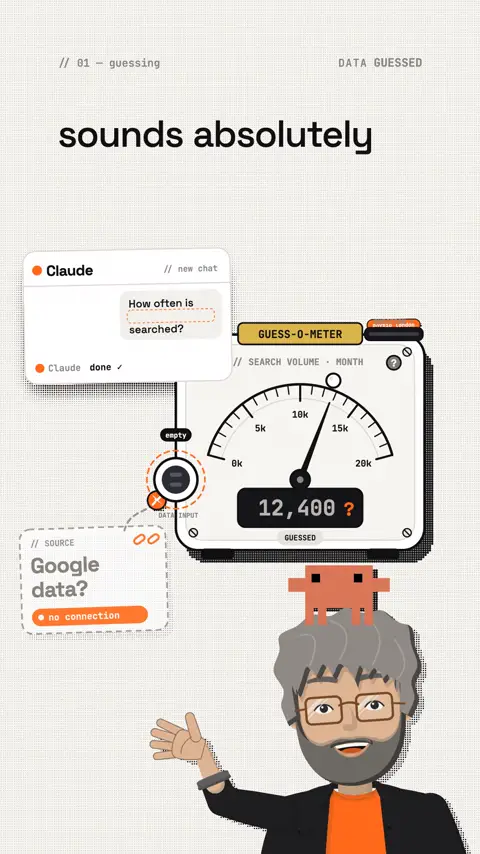
Ask Claude without tools: "How often is 'physio london' searched?" You get a number. But it doesn't come from Google, it comes from Claude's training data, which is outdated and imprecise. Web search doesn't help either, because search volumes aren't published anywhere.
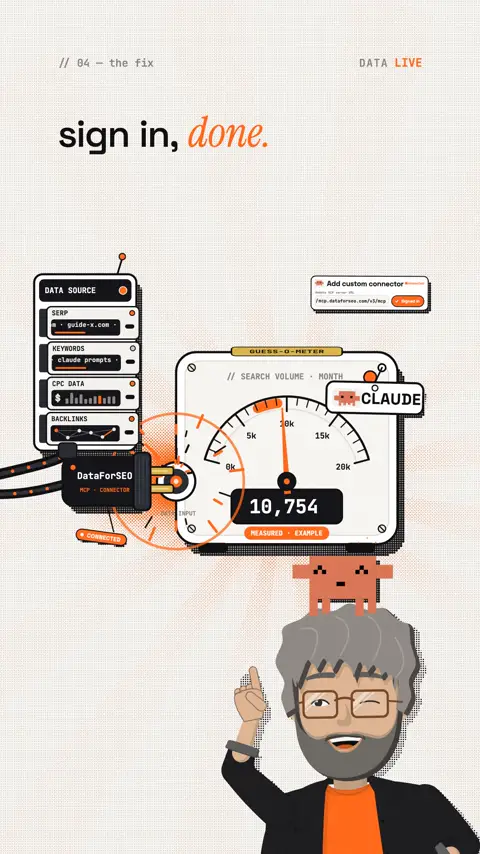
DataForSEO changes that. DataForSEO is a data provider that sells, among other things, Google Ads search volumes, Google search results and backlink data through an API. Via MCP (the protocol Claude uses for external tools) Claude queries this data itself. The official MCP server is built cleverly: Claude first reads the DataForSEO documentation and then builds the right request itself. So it can reach the whole API, not just a handful of built-in functions.
| Area | What Claude finds out with it |
|---|---|
| Keywords | Monthly search volume, cost per click, competition, ideas for related search terms |
| SERP | who is in the top 10 right now and which kind of page wins there |
| Labs | which terms your competitors rank for and you don't |
| Backlinks | how many other sites link to you and to your competitors |
| On-Page | technical errors on your site: titles, load time, broken links |
| AI Optimization | whether and how your brand shows up in AI answers |
How to connect DataForSEO
Step 1: create an account
I use DataForSEO every day for my own projects. That's why I recommend it.
DataForSEO · create an accountdataforseo.com sign up with $1 of start credit to test. After that you top up from $50, no subscription.Affiliate link: if you sign up through it, I get a commission from DataForSEO. You pay the normal prices.
Step 2a: in the Claude app (desktop or web)
- In Claude, open Customize → Connectors.
- Click Add custom connector and paste this address:
https://mcp.dataforseo.com/v3/mcp - Name it "DataForSEO", confirm and sign in to DataForSEO.
- Start a new chat. The first time, Claude asks whether it may use the tool.
Step 2b: in Claude Code
Command
claude mcp add --transport http dataforseo https://mcp.dataforseo.com/v3/mcpThen type /mcp in Claude Code, pick DataForSEO and sign in in the browser. claude mcp list shows whether it's connected. DataForSEO's MCP page also describes a variant with your credentials in the command. Signing in through the browser is safer, because no password ends up in your terminal history.
Step 3: set a spending limit (two minutes, very important)
Claude can trigger any request of the API, including expensive ones. So set a daily limit in the DataForSEO dashboard under the API settings, for example $2. Requests above it are rejected until the day (UTC) is over.
DataForSEO MCP · official guidedataforseo.com every way to connect it, including Cursor and a local install. Source code · dataforseo/mcp-server-typescriptgithub.com the official server, Apache-2.0. This is where you see exactly what it does.What it really costs
DataForSEO charges per request. These are the list prices (as of October 2026, in US dollars):
| Task | Price according to DataForSEO | Example |
|---|---|---|
| Search volume, CPC, competition | $0.09 per request (live), up to 1,000 keywords | checking 1,000 keywords: 9 cents |
| Keyword ideas, competitor keywords | $0.012 per request + $0.00012 per result | 100 ideas: about 2.4 cents |
| Checking the Google top 10 | from $0.0006 per results page (live costs more) | under 1 cent per search term |
| Backlinks | $0.024 per request + $0.000036 per row | overview of one domain: a few cents |
| Technical site check | from $0.00015 per page | 500 pages: under 10 cents |
| Mentions in AI answers | $0.10 per request + $0.001 per row Still open: | the most expensive area, use it on purpose |
So thorough keyword research for a small business costs cents. With normal use, the $50 minimum top-up lasts a long time. Before big analyses it's still worth a look at the price calculator on the API's page.
You pay for an SEO tool subscription even in months you don't open it. Here you only pay for the question you actually ask.
Where Claude gets which data
DataForSEO knows the market: what is searched and who ranks. It doesn't know your own numbers. There are other sources for those:
| Source | What it delivers | How it gets into Claude |
|---|---|---|
| DataForSEO | search volume, competition, rankings, backlinks | MCP connector (above) |
| Google Search Console | your real clicks, impressions, positions. Free | no tech: export the report as CSV and give it to Claude |
| Google Analytics | visitors, sources, enquiries and sales | export, or an MCP server (see below) |
| your website | what is really on your pages | Claude's own web search, Firecrawl for deep crawls |
If you want Search Console and Analytics connected live, you have three ways:
- No code: a connection platform such as Composio as a custom connector in Claude. Keep in mind: another company gets access to your Google account. Check its privacy terms first Still open: .
- A bit of tech (Claude Code): the open-source servers below. You need a Google Cloud project for the credentials.
- Simplest: in Search Console, export the "Performance" report and drag the file into Claude. That's plenty to start with.
Your SEO system in Claude
Single questions are good. A system is better. Create a project in Claude, for example "SEO my-company.com". Everything you work out there goes into the project as a file. That way every new chat knows where you are without you explaining everything again.
The project instructions (paste once)
Prompt to copy
You are my SEO and AI-visibility adviser for [domain].
Target market: [country], language [language] (unless I say otherwise).
Rules:
1. No estimated numbers. Always pull search volume, CPC, rankings and
   backlinks from DataForSEO. Give the source and date for every number.
2. Before you make more than 10 requests, tell me the estimated cost.
3. Read a page live before you judge it.
4. Sort recommendations by effort and payoff. Best first.
5. Explain every technical term in one sentence. Write for a layperson.
6. Mark what you don't know as open instead of making it up.
The seven steps
- Connect the data: DataForSEO plus a Search Console export.
- Company profile: Claude reads your website and writes down what you offer, for whom, at what price and what sets you apart. It asks you about the gaps. The result goes into the project.
- Question gaps: which questions does a buyer have (price, process, risk, comparison, alternatives) that your page doesn't answer?
- Audit: technical errors, page copy, AI visibility. At the end, the ten most important fixes.
- Strategy: which pages sell (money pages), which articles build expertise, and the plan for 30 days.
- Execute: Claude writes page titles, descriptions, FAQ sections and structured data. You review and publish.
- Dashboard: one page with the key numbers and the next tasks, fresh every week.
Nine prompts for the data
Replace what's in square brackets. All prompts work best inside the SEO project with the instructions above.
1 · The first real number
Prompt to copy
Use DataForSEO: how often is "[search term]" searched per month in [country]? Give search volume, CPC and competition, plus 20 related search terms with the same values. As a table, sorted by search volume.2 · Find the gold nuggets
Prompt to copy
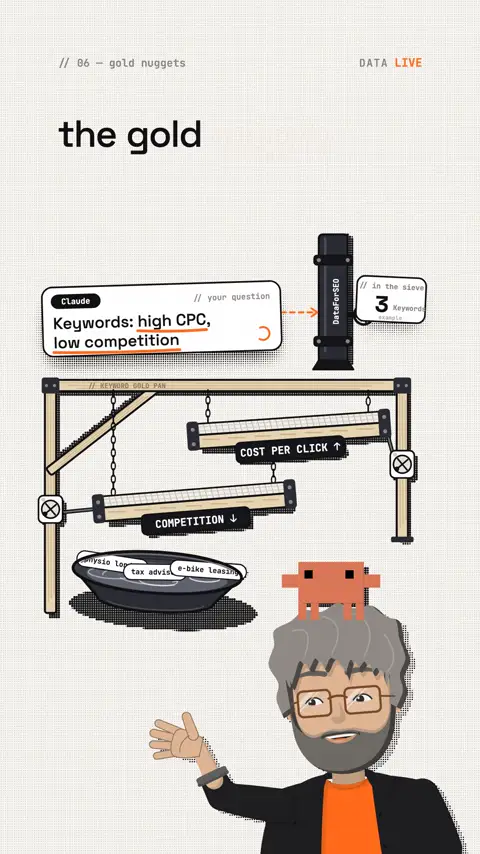
I offer [offer] for [audience] in [place/country]. Use DataForSEO to find 50 search terms my customers search for. Mark the gold nuggets: high CPC, low keyword difficulty, clear buying intent. For the top 5, explain why they're worth it.3 · Who's on page 1?
Prompt to copy
Use DataForSEO to check the Google top 10 in [country] for "[search term]". Which kind of page wins (guide, shop, comparison, local business)? What do the top 3 have in common that my page [URL] is missing?4 · The gap to your competitors
Prompt to copy
Use DataForSEO to compare my domain [my-domain.com] with [competitor-1.com] and [competitor-2.com]: which search terms do they rank for and I don't? Only terms that fit my offer. Sorted by search volume, with a suggestion for the page I need.5 · Company profile
Prompt to copy
Read my website [URL] page by page. Write a company profile: offer, audience, prices, process, proof (testimonials, numbers), alternatives customers compare us with, and what sets us apart. At the end, ask me every question about what the website is missing.6 · Questions your page doesn't answer
Prompt to copy
Read my page like a first-time visitor who wants to buy. Which questions stay open about price, process, risk, comparison and alternatives? Use DataForSEO to check which of these questions are searched on Google. One table: question, search volume, where on the page the answer belongs.7 · Audit with a top 10
Prompt to copy
Run an SEO audit for [domain]: a technical check with DataForSEO's On-Page API, the copy of the key pages, backlinks compared with [competitor], and whether my brand shows up in AI answers. At the end, the 10 most important actions, sorted by payoff and effort, each with one sentence on how I implement it.8 · From plan to finished change
Prompt to copy
Take action [number] from the audit and implement it completely: new page title, meta description, H1, an FAQ section with 5 questions and the structured data (schema.org, JSON-LD: the "digital business card" for Google and AI). All ready to paste in.9 · The weekly dashboard
Prompt to copy
Build me a one-page dashboard: clicks and impressions from my Search Console export, the 10 most important search terms with position, the biggest winners and losers, and the 3 tasks for this week. The date range for every number. No decoration, only what counts.What it brings freelancers, SEO agencies and business owners
| Who | What real search data brings you |
|---|---|
| Freelancers | add a keyword and competitor check to every web, content or ads project. The data costs cents, the result is a deliverable your client can see |
| SEO agencies | audits and pitch reports in hours instead of days, with numbers straight from the source. More time for strategy and for your clients |
| Business owners | know which searches bring buyers, build one page per service for them, and check with your own numbers what your agency delivers |
| Online stores | name products and categories the way customers really search |
| Coaches, creators | check every topic before you make it: is anyone actually searching for it? |
| Founders, SaaS | build comparison and alternatives pages for the terms buyers type right before they buy |
What you can make of it
A service with a small outlay. A keyword analysis for a local business costs you a few cents in data. Claude turns it into a clear report. You bring the context and the conversation. Many small businesses have never seen anything like it.
Content people search for. Check every reel, video or blog topic with prompt 1 first. A topic with real demand keeps bringing visitors long after the reel is over. Turn your best reels into articles, because some people prefer to read.
Visible in AI answers. Prompt 6 is the most underrated: every open customer question you answer on your page helps Google, AI assistants and above all the person who is deciding right now whether to buy from you.
Reports that look like an agency made them
The SEO machine delivers the numbers. With a design skill, Claude turns them into a page you're proud to show: an audit in the client's look, with their logo, colours and font. That wins a potential client before the first call. And if you're employed, you don't hand your boss a spreadsheet but a report that shows where money is being left on the table.
Five building blocks turn data into a presentation:
| Building block | What it does | Its role in the report |
|---|---|---|
| Taste Skill | gives Claude a real design direction: typography, layout, colour, motion | builds the report page instead of an interchangeable template |
| Web Design Guidelines | checks finished UI code for usability and common mistakes | makes sure the report works cleanly on every device |
| Awesome DESIGN.md | design systems as plain text Claude can read | captures the client's look in one file |
| Image to Code | first design an image as the target, then turn it into code | for a special cover or a homepage idea |
| Playwright CLI | drives the finished page in a browser, takes screenshots and PDFs | checks the result and turns it into a PDF to send |
How the report comes together
- Data: the audit with prompt 7, plus the gap to the competitors (prompt 4).
- Look: Claude reads the client's website and writes a DESIGN.md with colours, fonts and style. The Awesome DESIGN.md collection shows what such a file looks like.
- Build: with the Taste Skill, Claude builds a report page from it. You add the logo as a file.
- Check and send: Web Design Guidelines checks the page, Playwright CLI takes screenshots on phone and desktop and saves it as a PDF.
10 · The pitch report
Prompt to copy
Turn the SEO audit in the project into a report for [company] as one HTML page. First read [client-website.com] and capture colours, fonts and style in a DESIGN.md. The logo is at [logo.png]. Structure: the 3 key numbers at the top, the 5 biggest opportunities with search volume, what the competitors do better, a 30-day plan. Plain language, no jargon. Then check the page in the browser and save it as a PDF.Good to know:
- Taste Skill is thorough but expensive. According to its README, one run takes 30 to 45 minutes and a few hundred thousand tokens. It needs Node 22 and Chrome, Edge or Chromium. Worth it for an important pitch, not for the weekly report.
- Image to Code needs an image model. According to its README, the agent must be able to generate images and write code. Claude Code alone can't. The other four run without an image model.
- Other people's logos and brands: a client's logo belongs in material for that very client. In public (as a reference, in reels, on your website) only with their permission. You are responsible for the rights.
- Stay honest: an unrequested audit is an offer, not an expert opinion. Say where the numbers come from and when they're from.
All five are open source (MIT or Apache-2.0). How to install Taste Skill, Web Design Guidelines and Playwright CLI:
Command
npx skills add https://github.com/Leonxlnx/taste-skill --skill "design-taste-frontend"
npx skills add vercel-labs/agent-skills
npm install -g @playwright/cli@latest
playwright-cli install --skills
Awesome DESIGN.md needs no install: copy a DESIGN.md from the collection into your project or let Claude write one for your client. The format comes from Google Stitch.
Limits and risks
- Numbers are estimates. Google Ads search volumes are rounded monthly averages, not exact counts. They're plenty for decisions, not as proof.
- Claude can misread data. That's why the rule "source and date for every number". Spot-check the most important numbers.
- Costs run per request. A daily limit in the dashboard is a must. Let Claude estimate big analyses (many domains, many AI queries) first.
- Mass content hurts. Google's spam policies call creating many pages without added value spam ("scaled content abuse"), whether humans or AI made them. Let Claude research and draft, but bring your own experience, examples and opinion.
- Access to your Google account. Every connection platform between Claude and Google gets access to your data. For client accounts only with their consent (in the EU with a data processing agreement).
- SEO takes time. New pages often need weeks to months to rank. The dashboard shows you whether things are moving in the right direction.
Your first hour
- DataForSEO account created, daily limit set
- Connector added in Claude and signed in
- Prompt 1 tested with your most important search term
- SEO project created in Claude, instructions pasted
- Company profile (prompt 5) created, gaps answered, saved in the project
- Search Console performance report exported and added to the project
- Gold nuggets (prompt 2) found and the best three noted
- First action implemented (prompt 8) and published
- Optional: first pitch report built in the client's look (prompt 10)
My tip
Start with prompt 2. Most people are surprised how differently their customers search compared with how they talk about their own offer. That one list alone changes how you word your homepage, your reels and your offers.
All links, commands and prices in this guide were checked on the official pages on 26 October 2026. Prices and features change: take a quick look at the current pricing page before big analyses.
Claude doesn't guess anymore. It looks it up. That's the difference between an opinion and a strategy.
The reel on this topic
This reel was made with Mentor Reels
Mentor Reels is a skill for Claude Code. From one prompt it makes a finished explainer reel with voice, animation, post texts and a PDF just like this one.
Read the transcript
If you ask Claude how often your keyword gets googled, it guesses, and it sounds absolutely convincing. Instead, I'll show you how it gets real Google numbers, and why full keyword research ends up costing just a few cents. The problem: search volumes are nowhere to be found in public. So Claude estimates from old training data, and you build your site on a made-up number. The fix is called Data for SEO, a data provider that works as a connector for Claude: paste the address, sign in, done. From then on, Claude looks it up itself: how often something gets searched, what a click on Google Ads costs, and who's currently on page one. Ask for keywords with a high cost per click and little competition, and you'll find the gold nuggets others miss. And there's no subscription: a thousand keyword checks cost nine cents. Without data, Claude guesses. With Data for SEO, it knows. Comment SEO and I'll send you the guide: what real search data brings freelancers, SEO agencies and business owners.
Frequently asked questions
Can Claude tell me search volume without tools?
No. Without tools the number comes from Claude's training data, which is outdated and imprecise. Web search doesn't help either, because search volumes aren't published anywhere. Only with a data source like DataForSEO does Claude pull real numbers.
How much does DataForSEO cost?
There is no subscription, you pay per request. Search volume, CPC and competition for up to 1,000 keywords cost $0.09 per request (live). The minimum top-up is $50, and you get $1 of start credit to test. These are the list prices as of October 2026.
How do I connect DataForSEO to Claude?
In the Claude app, open Customize → Connectors, add a custom connector with the address https://mcp.dataforseo.com/v3/mcp and sign in to DataForSEO. In Claude Code, run claude mcp add --transport http dataforseo https://mcp.dataforseo.com/v3/mcp, then sign in through /mcp in the browser.
How do I keep the costs under control?
Set a daily limit in the DataForSEO dashboard under the API settings, for example $2. Requests above it are rejected until the day (UTC) is over. A rule in your project instructions helps too: before more than 10 requests, Claude tells you the estimated cost.
What are keyword gold nuggets?
Search terms with a high cost per click, low keyword difficulty and clear buying intent. A high CPC shows there is money behind the term. The guide has a ready-made prompt that finds 50 terms and explains why the top five are worth it.
Should I mass-produce SEO content with Claude?
The guide advises against it. Google's spam policies call creating many pages without added value spam ("scaled content abuse"), whether humans or AI made them. Let Claude research and draft, but bring your own experience, examples and opinion.
Keywords
Goes well with
-
// AI workflows for business
Your AI council in Claude: seven advisor roles for real decisions
roast-room seats AI roles from Bezos to Buffett around your decision, Claude moderates three rounds, and you get a verdict with next steps.
-
// Skills, repos & add-ons
How to choose the right Claude skills: find your perfect skill combo
Why more skills don't help more, what skills.sh really shows, and how Claude finds the right combo with you.
-

// AI workflows for business
What Arena really costs your limit: the full math behind the hype skill
Arena pits 100 Claude agents against each other. What that costs in tokens, what one tester measured, and how to check any skill before you install it.
Claude becomes your SEO machine
Why Claude guesses at search volume, how it pulls real Google numbers through DataForSEO, and why full keyword research costs only cents.