// Skills · Free PDF
BAMA and REA: rebuild Mac apps with Claude
The links to BAMA and REA, how to install both, what they really do, what they cost and where the legal line is. Plus a look ahead at ArtCraft, the topic of my next reel.
At a glance
| Question | Short answer |
|---|---|
| BAMA | 21 skills for Claude Code and Codex: look at the app, screenshot every screen, write a plan, rebuild it natively in Swift. |
| REA | A toolbox for your AI agent: it inspects an app without its source code and explains how a feature works. Over 414,000 stars on GitHub. |
| Cost | Both are open source and free. Claude Code needs a paid Claude plan; cloning native apps needs Claude Pro or Max. |
| The line | Only your own or permitted software, research and interoperability. Don't copy other people's brands, icons or designs one to one. |
What the video doesn't say
- ArtCraft has nothing to do with REA. They are two separate projects. ArtCraft didn't "copy" its apps, it wrote them from scratch as a clean-room rebuild: its own code, built from public specifications and observation. That is a big difference, legally too.
- "Free" is only half true. REA and BAMA cost nothing. The agent that runs them does: Claude Code only works with a paid Claude plan or via the API. And BAMA's clone step needs Computer Use for native Mac apps, which means Claude Pro or Max.
- BAMA is brand new. The repo went online on 24 October 2026, so it is one week old (as of 31 October 2026). Expect bugs and frequent updates.
- BAMA needs macOS 26. Plus Xcode 26 for the Swift 6.2 compiler. You never have to open Xcode, but it has to be installed.
- The build plans are not cloned third-party apps. Dave Ebbelaar took the 12 specs apart from his own menu bar app "Onyx". They describe what an app should do, not what someone else's app looks like.
- REA's star count is unusual. 414,956 stars in a little over six months, but only about 1,600 watchers. Nobody outside GitHub can check whether every star is real. The number is the one GitHub shows.
Rebuilding means understanding and writing it again. Copying means trouble. Stay on the first side.
The links
BAMA · daveebbelaar/bamagithub.com Build Any Mac App: 21 skills that take a native Mac app from screenshot to your Dock. REA · morluto/reagithub.com Reverse Engineer Anything: your agent inspects apps down to the binary level, with evidence.Install REA
You need Node.js 22 (or newer) and npm. Then in the terminal:
Command
npx rea-agents setupPick your agents (Claude Code, Codex, Cursor, Gemini CLI …), review the proposed changes and approve them. Then restart your agent. To analyze native programs, REA also needs an analysis tool such as Ghidra (free), Hopper or IDA. JavaScript and Electron apps work without one.
Install BAMA in Claude Code
Template
/plugin marketplace add daveebbelaar/bama
/plugin install bama@bama
Then type /bama: the router looks at your project and picks the next skill. For the clone step, turn on Computer Use: in Claude Code via /mcp → computer-use → Enable, in the Claude desktop app in Settings.
Build a plan
- Copy a spec from the
specs/folder of the BAMA repo into an empty folder, for examplewindow-snapper.md. - Start Claude Code in that folder.
- Send this sentence:
Template
Build the app in window-snapper.md with BAMA.BAMA and REA compared
| Project | What it does | For whom |
|---|---|---|
| REA | Understands other apps: functions, calls, data, with evidence | Developers, security researchers, people building an interface |
| BAMA | Builds new native Mac apps from an idea, a spec or screenshots | Indie developers, founders, Mac power users |
BAMA's 12 build plans
| Plan | What the app does |
|---|---|
| Window Snapper | Snap windows to halves or thirds with a shortcut |
| Window Switcher | Pick any window with Option-Tab and live previews |
| Launcher | Open apps and files from one search box |
| Clipboard History | Search and paste anything you copied |
| Text Snippets | Type a short keyword, get the full text |
| Color Picker | Pick a colour anywhere on screen and save it |
| Screenshots | Capture the screen, an area or a window and mark it up |
| Screen Recorder | Record the screen to MP4 with mic, system audio and webcam |
| Menu Bar Stats | CPU, memory, network and battery in the menu bar |
| Toolbox | Keep the Mac awake, show hidden files, switch audio |
| Creator Tools | Keystroke overlay, cursor highlight, teleprompter |
| Dev Toolkit | Open projects, convert JSON and Base64, free a port |
What it really costs
| Part | Price |
|---|---|
| BAMA, REA | free, open source (MIT) |
| Claude Code | only with a paid Claude plan (Pro, Max, Team) or API credit |
| Cloning native Mac apps | Computer Use: Claude Pro or Max |
| Mac | macOS 26 and Xcode 26 (free in the App Store) |
| Analysis tool for REA | Ghidra free, Hopper and IDA paid |
A tip against surprises: start with the smallest plan (Window Snapper). BAMA calls each spec "an afternoon of agent time". That takes a noticeable bite out of your usage limit.
Prompts to copy
Rebuild your own app as a native Mac app (BAMA):
Prompt to copy
Clone my own web app [URL] as a native Mac app with BAMA. Screenshot every screen, write the user stories and build milestone 1.Understand first, then build (REA):
Prompt to copy
Use REA to find out how [feature] works in [an app I own or am allowed to analyze]. Show me the evidence and explain it in plain words.A feature for your own project:
Prompt to copy
I like how [app] handles [feature]. Describe the behaviour only from using it, without taking over the app's code, texts, icons or design, and turn it into user stories for my own app [name].An app from an idea instead of a template:
Template
/bama I want a small menu bar app that [task]. Write an app brief first, then the stories in milestones.Adapt a build plan:
Prompt to copy
Read window-snapper.md. Change the name to [name], the shortcuts to [shortcuts] and cut everything that isn't needed for version 1. Then build it with BAMA.Who gains what
| Who | Problem | What you do |
|---|---|---|
| Indie developer | A new Mac app takes weeks | Idea as a spec, BAMA builds the first milestone |
| Founder | A click prototype doesn't feel real | A native app for the demo, with real local data |
| Agency | Client wants a small internal Mac app | Client brief as a spec, built in commits, easy to follow |
| Creator | A tool that fits your own workflow | Teleprompter or chapter markers as your own app |
| Developer with legacy | Own old tool without source code | Understand it with REA, rebuild it with BAMA |
What you can make of it
- A service: build small native Mac tools for teams with one specific problem (menu bar helpers, internal tools).
- Content: a series "I build a Mac app in one afternoon", one build plan per episode.
- Your own spec: write your app idea in BAMA's format (brief, how it works, stories, gotchas). That makes any idea buildable.
- Learning: let REA explain how your own or an open app solves a problem before you build it yourself.
Limits and risks
- Law: by its own note, REA is only for lawful research, education, interoperability, preservation and software you own or are authorized to examine. Many licence agreements (EULAs) forbid reverse engineering. Read them first.
- Brands and design: names, logos, icons, texts and the exact look of other apps are protected. Rebuilding a function with your own design is not the same as a copy. You alone are responsible for the rights.
- Privacy: while cloning, the agent sees everything in the app. BAMA recommends a demo account with sample data.
- Security: you install other people's code and give Computer Use access to your screen. Only install from the official sources; REA itself warns about copies with similar names.
- Maturity: BAMA is one week old. Not every build works the first time, and updates come often.
Your first hour
- Check: is your Mac on macOS 26? Install Xcode 26 from the App Store.
- Install BAMA in Claude Code (the two commands above).
- Copy the Window Snapper spec into an empty folder.
- Send the sentence "Build the app in window-snapper.md with BAMA." and let it build milestone 1.
- Start the finished app from the Dock and test it.
- Optional: set up REA (command above) and try it on your own or an open app.
My tip
Don't start with "clone app X", start with your own idea as a spec. That is legally clean, and you learn how BAMA thinks: brief, stories, one commit per story. Once that clicks, you build tools in one afternoon that you would otherwise pay for every month.
All links, commands and numbers checked on 31 October 2026 on the official pages.
Up next: ArtCraft
Mentioned briefly in the video, in full in the next reel: the ArtCraft team builds open-source apps with AI agents as clean-room rebuilds, for example PhotoCraft as a rebuild of Photoshop, plus apps for photos, video editing, vector graphics and PDF. If you can't wait: getartcraft.com.
First REA, now BAMA, and soon ArtCraft. I can't wait to see what you build.
The reel on this topic
This reel was made with Mentor Reels
Mentor Reels is a skill for Claude Code. From one prompt it makes a finished explainer reel with voice, animation, post texts and a PDF just like this one.
Read the transcript
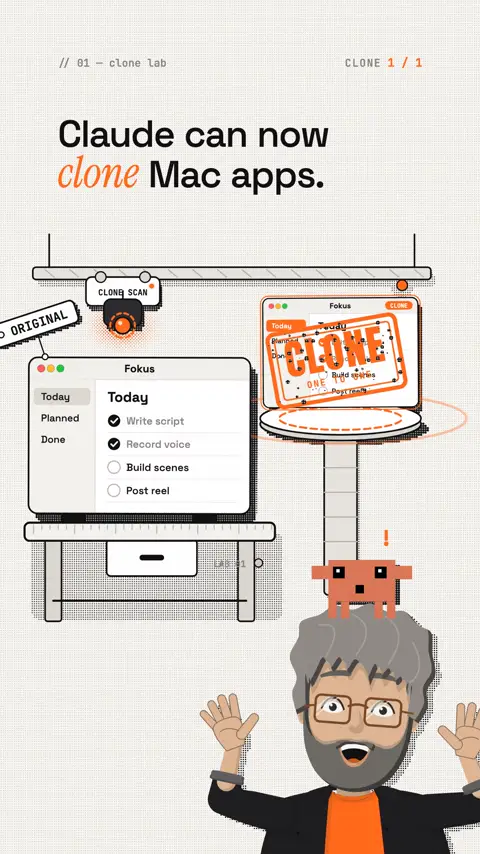
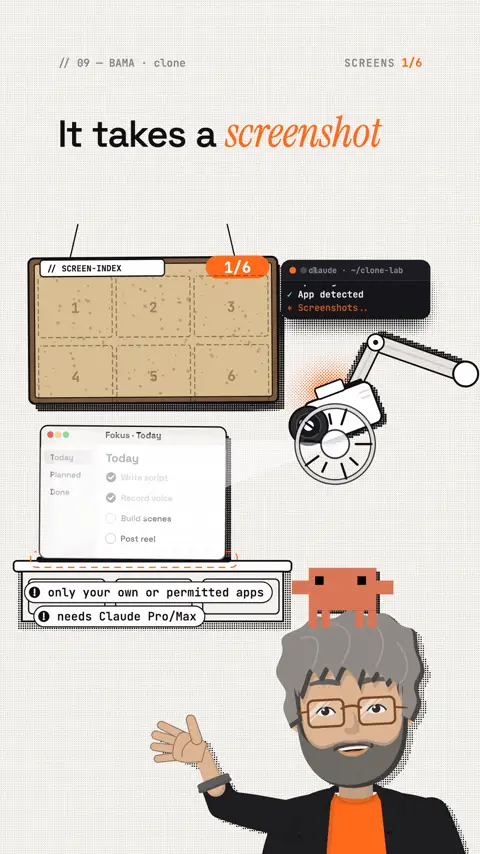
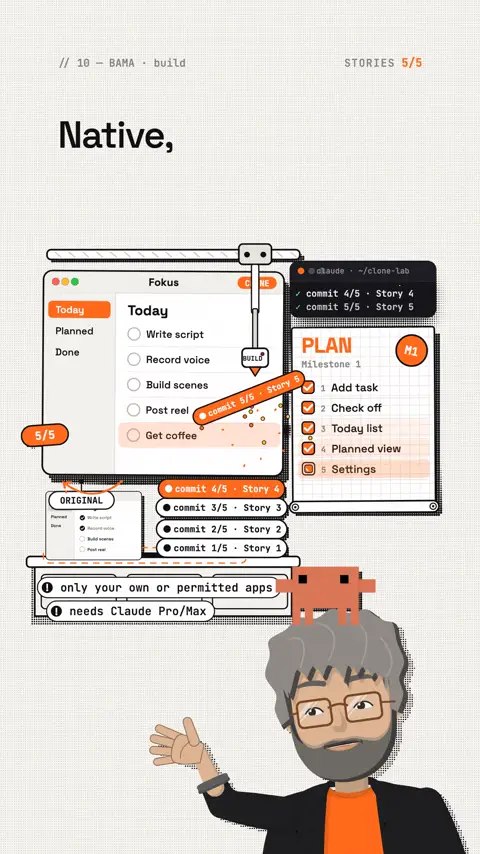
Claude can now clone Mac apps. And Mac developers should listen very closely. First came Rea. Reverse Engineer Anything. Your AI agent looks inside an app and understands how it works. Without source code. Over four hundred thousand stars on GitHub. Then ArtCraft. A team rebuilt Photoshop with AI agents. And on top of that photos, video editing, vector graphics and PDF. All open source. And now it's the Mac apps' turn. Bama: Build Any Mac App. You show Claude an app. It takes a screenshot of every screen, writes a plan and rebuilds it piece by piece. Native, in Swift. If an agent can rebuild a small Mac tool in one afternoon, things get tight for a lot of paid apps. Bama is one week old. I think this is about to go through the roof. Never heard of Bama? Follow me and comment Bama, and I will send you the links to Bama and Rea. And ArtCraft is coming up in the next reel.
Frequently asked questions
What is BAMA?
BAMA stands for Build Any Mac App. It is an open-source repo by Dave Ebbelaar with 21 skills for Claude Code and Codex. The agent opens an app, screenshots every screen, turns that into user stories in milestones and rebuilds it natively in Swift, one story per commit.
What is REA?
REA stands for Reverse Engineer Anything. It is a toolbox for your AI agent: it inspects an app without its source code and explains, with evidence, how a feature works. You set it up with npx rea-agents setup, which needs Node.js 22 or newer.
How do I install BAMA in Claude Code?
With two commands: /plugin marketplace add daveebbelaar/bama and /plugin install bama@bama. Then type /bama and the router looks at your project and picks the next skill. For the clone step, turn on Computer Use.
Are BAMA and REA free?
The repos are, both are open source under the MIT licence. The agent is not: Claude Code only runs with a paid Claude plan or API credit, and cloning native Mac apps needs Computer Use, which means Claude Pro or Max. BAMA calls each build plan an afternoon of agent time, so it takes a real bite out of your usage limit.
What do I need on my Mac?
BAMA needs macOS 26 and Xcode 26 for the Swift 6.2 compiler. You never open Xcode, but it has to be installed. For the clone step the agent also needs the Accessibility and Screen Recording permissions on your Mac.
Can I just rebuild someone else's Mac app?
Not just like that. By its own note, REA is only for lawful research, education, interoperability, preservation and software you own or are authorized to examine. Many licence agreements (EULAs) forbid reverse engineering, and the names, logos, icons, texts and design of other apps are protected. The safest start is your own idea as a spec.
Keywords
Goes well with
-
// Skills, repos & add-ons
ArtCraft: 13 open-source apps instead of a subscription, built with Claude
One team is rebuilding Photoshop, Excel, AutoCAD and more as free open-source apps, with Claude on every fifth commit. All 13 apps, MCP commands and the honest limits.
-
// Skills, repos & add-ons
6 free GitHub repos that get more out of Claude
Hyperframes, Grill Me, Laya, Shaders, Diagram Design and REA: what they do, how to install them, and a quick safety check.
-
// Skills, repos & add-ons
How to choose the right Claude skills: find your perfect skill combo
Why more skills don't help more, what skills.sh really shows, and how Claude finds the right combo with you.
-
// Skills, repos & add-ons
Design school for Claude: how to teach it some taste
Why Claude keeps building the same AI page and how four design skills fix it: input, build, motion, review.
BAMA and REA: rebuilding Mac apps with Claude
BAMA rebuilds native Mac apps with 21 skills, REA explains how an app works. Links, install steps, costs and where the legal line is.